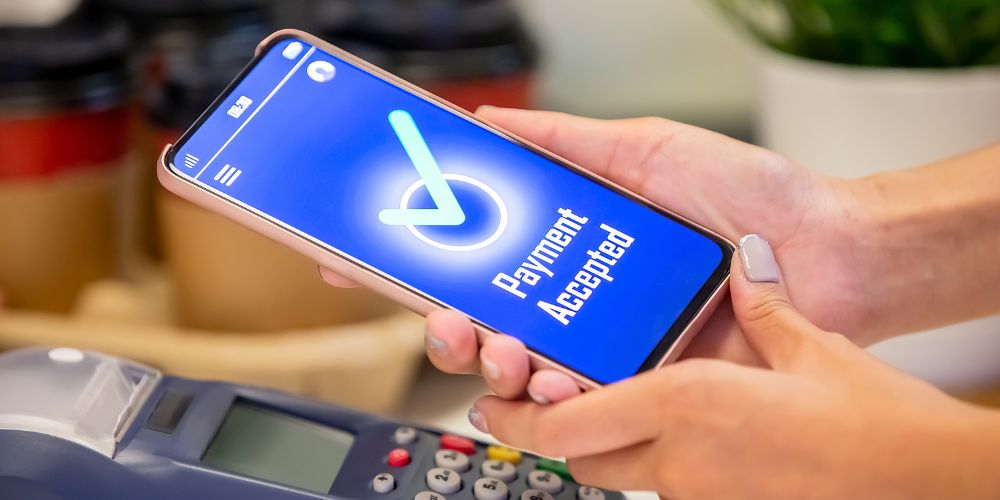
Businesses need reliable payment systems to serve customers and manage daily transactions. Whether you operate a retail shop, restaurant, café, or service-based business, accepting card payments is an important part of providing a convenient checkout experience. Customers often prefer paying with debit cards, credit cards, and contactless methods, making it essential to choose a payment terminal that meets their needs.
Traditional card machines have been used for years to process electronic payments. They are familiar, straightforward, and suitable for many businesses. However, modern payment terminals offer additional features that can help improve checkout processes and support different business operations.
The PAX E600 is an integrated smart payment terminal that combines payment processing with a larger touchscreen, a customer-facing payment module, and a built-in receipt printer. Compared with a basic card machine, it offers a more comprehensive setup for businesses that need payment acceptance alongside other point-of-sale functions.
Understanding the differences between the PAX E600 and traditional card machines can help business owners choose a solution that fits their operations, budget, and customer expectations.
What Is the PAX E600?
The PAX E600 is an integrated payment terminal designed to support businesses with their payment and checkout activities. It features an 8-inch touchscreen for the merchant, a separate customer-facing payment screen, and a built-in thermal printer for receipts.
The device supports chip card, magnetic-stripe, and contactless payments, subject to the payment application and configuration. It also offers connectivity options such as Wi-Fi, Bluetooth, and 4G, depending on the supplied configuration.
Unlike a basic payment terminal that focuses mainly on accepting card transactions, the PAX E600 combines several checkout components in one device. This can make it useful for businesses that want a more integrated payment setup without managing multiple separate pieces of equipment.
However, the features available to a merchant depend on the payment provider, installed software, and compatibility with the business’s existing systems. It is important to confirm these details before purchasing the terminal.
What Are Traditional Card Machines?
Traditional card machines are devices used to accept electronic payments from customers. They are commonly found in shops, restaurants, hotels, and other businesses where customers pay at a counter.
Most traditional terminals support chip-and-PIN transactions, while many also accept contactless payments and magnetic-stripe cards. Their exact capabilities depend on the model and the payment services enabled.
Basic card machines usually have a small display and a physical keypad. Some are standalone devices, while others connect to a cash register or point-of-sale system. Their main purpose is to process payments and provide transaction confirmation.
These terminals remain useful for businesses that need a simple and familiar payment solution. However, businesses looking for a larger interface, integrated printing, or additional checkout functionality may want to explore a more advanced device.
1. Design and User Experience
One of the main differences between the PAX E600 and a traditional card machine is the design.
Traditional terminals generally use a compact screen and physical buttons. This arrangement works well for basic transactions, but entering information or navigating additional functions can sometimes be less convenient.
The pax e600 has a larger merchant-facing touchscreen that provides more room for displaying information and navigating supported applications. Its separate customer-facing payment module allows customers to interact with the payment screen when completing a transaction.
A larger screen can make checkout tasks easier to follow, particularly when a business uses compatible POS software with several functions. It may also help employees learn the system more quickly.
However, the best interface depends on the way a business operates. Employees who prefer physical buttons may find a traditional keypad familiar and practical. Businesses should consider usability, accessibility, and staff training when comparing terminals.
2. Payment Methods and Flexibility
Payment acceptance is another important factor to consider.
Traditional card machines can accept chip cards and, depending on the model, contactless cards and magnetic-stripe payments. These options cover the needs of many businesses that mainly process standard card transactions.
The PAX E600 supports chip card, magnetic-stripe, and contactless payments. This gives businesses several ways to accept payments through a single terminal when the relevant features are enabled by their payment provider.
Contactless payments can be particularly convenient for customers who want to complete smaller purchases quickly. Chip transactions remain important for customers whose cards require them, while other supported payment methods can provide additional flexibility.
Businesses should also confirm whether their chosen payment service supports digital wallets and the card networks their customers commonly use. The terminal’s hardware alone does not guarantee acceptance of every payment method.
Before upgrading, check which payment types are enabled, whether additional setup is required, and whether the provider charges extra fees for particular services.
3. Connectivity and Reliability
A reliable connection is essential for processing card payments. If a terminal loses its connection, transactions may be delayed or temporarily unavailable.
Traditional card machines may connect through Ethernet, Wi-Fi, telephone lines, or mobile networks, depending on their design. A fixed terminal with a stable connection can work well for businesses that process payments at a single counter.
The PAX E600 supports connectivity options that include Wi-Fi, Bluetooth, and 4G. These options can provide flexibility when setting up the terminal, although the available connections depend on the specific configuration and service plan.
For example, a shop may use a fixed checkout counter, while a restaurant may need a more flexible arrangement for different service areas. Choosing the right connection can help the business maintain a consistent payment process.
Businesses should consider network coverage, internet reliability, and backup arrangements before making a decision. A device with multiple connectivity options can be useful, but the quality of the connection and the payment service also affects transaction reliability.
4. Integration With Point-of-Sale Systems
Point-of-sale integration can help businesses manage transactions more efficiently.
With a standalone traditional card machine, an employee may need to enter the transaction amount manually. If the business also uses separate sales software, entering the amount twice can increase the chance of errors.
An integrated payment setup can send the amount from compatible POS software directly to the payment terminal. This reduces the need for repeated data entry and can make the checkout process more consistent.
The PAX E600 is designed as an integrated smart terminal and may support additional checkout functions through compatible applications. Its larger touchscreen can provide access to supported business software, while its payment module handles customer transactions.
However, integration depends on the installed application, payment provider, and compatibility with the business’s existing systems. Not every terminal works with every POS platform.
Before selecting the PAX E600, ask whether it supports your current checkout software, inventory tools, and reporting requirements. You should also check whether integration involves installation charges or additional monthly fees.
5. Receipt Printing and Checkout Convenience
Receipts are an important part of everyday business transactions. Customers may need them for returns, expense records, or proof of purchase.
Traditional card machines often include a small thermal printer, although some models rely on digital receipts or separate printing equipment.
The PAX E600 includes a built-in thermal receipt printer. This allows businesses to print payment receipts directly from the terminal when the relevant function is supported.
Having printing available within the same device can reduce the need for separate equipment and keep the checkout area organised. It can also be convenient for businesses that regularly provide printed transaction records.
However, receipt printing is only one part of the checkout process. Businesses should consider paper costs, replacement rolls, printing speed, and whether digital receipts are also available through their payment service.
The right option depends on customer preferences and the way the business manages transaction records.
6. Security and Payment Protection
Payment security should be a priority when choosing any card machine. Businesses must protect customer payment information and follow the requirements that apply to their payment services.
Traditional card machines can provide secure transactions when they meet the relevant standards and receive appropriate software support. However, older devices may need replacement if they are no longer supported or do not meet current requirements.
The PAX E600 has payment security features and certifications associated with its specified hardware configuration. Businesses should confirm the exact device approvals and requirements with their payment provider before putting it into service.
Security also depends on how the complete payment system is managed. Software updates, access controls, secure network connections, and employee training all play important roles.
Employees should protect customers’ PIN entry, avoid sharing account credentials, and report any signs of device tampering. Businesses should also follow their provider’s instructions for handling suspicious transactions and security concerns.
A newer terminal can support a secure payment environment, but no device removes the need for responsible payment security practices.
7. Reporting and Business Management
Payment records help businesses track transactions, reconcile payments, and manage daily sales.
A traditional card machine may provide basic transaction details and settlement reports through the terminal or an online merchant account. These features can be sufficient for businesses with straightforward reporting needs.
The PAX E600 may offer additional business functions when used with compatible POS applications. Depending on the software, businesses may be able to connect payment activity with sales records and other checkout information.
This can help reduce manual record-keeping and make it easier to review business activity. However, advanced reporting is not automatically included with every terminal configuration.
Before choosing a payment system, consider what information you need to access. A small retailer may only require daily transaction totals, while a larger business may need detailed sales reports and accounting integration.
Check whether reports can be exported, how settlement information is accessed, and whether the software meets your record-keeping requirements.
8. Cost, Maintenance, and Long-Term Value
The cost of a payment terminal includes more than the initial purchase price.
Traditional card machines may be affordable to keep if they already meet the business’s needs and continue to receive technical support. However, maintenance, replacement, transaction fees, and service charges should still be considered.
The PAX E600 may involve additional upfront or ongoing costs depending on how it is supplied. Expenses can include the terminal, payment processing, software, installation, connectivity, and technical support.
A more advanced terminal may provide value when its features reduce manual work or support a more organised checkout process. However, businesses with simple payment requirements may not need all the additional functionality.
To compare costs accurately, request a complete quotation from the payment provider. Review the contract period, monthly fees, transaction charges, maintenance arrangements, and replacement policy.
Choosing a terminal that fits your actual needs can help you manage expenses while maintaining a reliable payment service.
9. Which Option Is Right for Your Business?
The right choice depends on your business’s daily operations and payment requirements.
A traditional card machine may be suitable if you mainly need to accept card payments at a fixed counter. It can be a practical option for smaller businesses that prefer a simple interface and do not require extensive POS integration.
The PAX E600 may suit businesses that want a larger touchscreen, a separate customer payment display, built-in receipt printing, and flexible connectivity. Its integrated design can be helpful for merchants who want to combine payment acceptance with compatible checkout applications.
Retail shops may benefit from an organised checkout setup, while restaurants and service businesses may value a device that supports their particular payment workflow.
Before making a decision, consider transaction volume, staff training, payment methods, software compatibility, and the total cost of ownership. Ask the provider to demonstrate the device and explain how it will work with your existing systems.
The aim is to choose a terminal that meets your current requirements while allowing room for future business needs.
Final Thoughts
The PAX E600 and traditional card machines both help businesses accept electronic payments, but they serve different operational needs. Traditional terminals remain suitable for straightforward transactions, while the PAX E600 offers a larger touchscreen, a separate customer-facing payment module, built-in receipt printing, and several connectivity options.
Before upgrading, compare the available features, compatibility, security requirements, and ongoing costs to determine which setup suits your business. A well-matched payment terminal can help simplify checkout activities and provide a convenient experience for customers.
Florida Payments provides payment solutions for businesses looking to manage transactions and improve their payment processes. Exploring the available services can help you understand your options and identify a payment setup that aligns with your business requirements.
