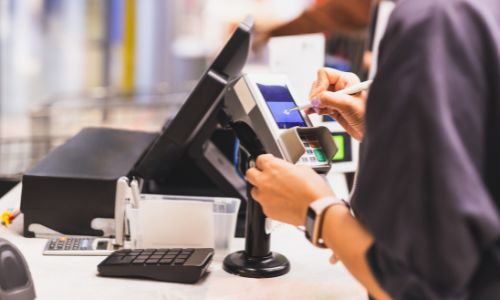
Running a grocery store comes with many challenges. From keeping track of thousands of products to handling multiple customers at the checkout every day, store owners need tools that make daily operations easier and more efficient. One of the most important tools is a Point of Sale (POS) system. A POS system is more than just a cash register—it’s a technology solution that helps with sales, inventory, customer management, and reporting. Choosing the right one can save time, reduce errors, and help your business grow.
However, picking the right POS system is not always easy. There are many options available, each offering different features, prices, and levels of support. Making the wrong choice can slow down operations, frustrate customers, and even cost money in the long run. To make a smart decision, grocery store owners need to understand their unique needs and carefully compare the available systems before making a final choice.
Understanding Your Grocery Store’s Needs
The first step in choosing a POS system is understanding how your store operates. Grocery stores are different from other retail businesses because they handle large inventories, perishable goods, and frequent customer transactions. This means the system needs to be able to manage many products at once and track items like fresh produce, packaged goods, and household supplies. Some products may need special attention, such as monitoring expiration dates or bulk inventory. Without these features, it’s easy for stores to face stockouts, spoilage, or mistakes in orders.
Your POS system should also match your store’s workflow. For example, small stores may need a simple system that can handle basic sales, while larger stores or grocery chains may need more advanced tools for managing multiple locations and high sales volumes. Knowing your specific requirements will help narrow down options and make the final decision much easier.
Integration With Existing Operations
A good POS system doesn’t work in isolation. It needs to connect smoothly with your other business tools. Many grocery stores use accounting software, loyalty programs, or online ordering systems. If your POS system can integrate with these tools, it can save a lot of time and reduce errors. For example, automatic syncing with accounting software can keep financial records accurate without extra manual work. Linking with loyalty programs allows customers to earn rewards and access discounts easily, which can encourage repeat visits.
Integration can also improve reporting and inventory tracking. When a POS system is connected to multiple tools, managers can see real-time sales data, monitor stock, and make informed decisions about pricing or promotions. For grocery stores looking to expand or offer online ordering, choosing a system that works well with other tools is essential.
Managing Inventory Efficiently
Inventory management is one of the biggest challenges for grocery stores. Products move quickly, and perishable goods need careful tracking to reduce waste. A modern POS system can automatically update stock levels, alert staff when items run low, and generate reports on best-selling products. This helps store managers plan orders more accurately and avoid overstocking or running out of popular items.
Advanced POS systems can also manage multiple locations from a single dashboard. This is especially helpful for grocery chains that want consistent pricing, product availability, and inventory tracking across all stores. Efficient inventory management not only saves money but also ensures customers can find what they need every time they visit.
Speed and Ease of Use
At the checkout, speed matters. Long lines can frustrate customers and reduce sales. A POS system should be simple and fast, allowing staff to complete transactions quickly. Features like touchscreen interfaces, barcode scanning, and quick access to commonly sold items can help speed up checkout times.
The system should also support multiple payment methods, including cash, credit or debit cards, mobile payments, and digital wallets. Being able to handle refunds or split payments easily is another important factor. A POS system that is easy for staff to use will also reduce training time and make daily operations smoother.
Security and Reliability
Security is a critical consideration. Grocery stores process sensitive customer information, including payment details. A POS system must follow security standards like Payment Card Industry Data Security Standard (PCI DSS) and offer features such as encrypted transactions and user access controls.
Cloud-based systems provide the advantage of remote monitoring while keeping data safe. They allow store owners to check sales, inventory, and other important information from anywhere, which is especially useful for managers overseeing multiple locations. A secure and reliable system helps protect your business and your customers.
Cost and Value
Price is always an important factor, but the cheapest system is not always the best choice. Some low-cost systems may require additional software, frequent maintenance, or have limited features, which can increase costs over time. On the other hand, premium systems may have features that your store doesn’t need, which can be an unnecessary expense.
It’s important to compare upfront costs, monthly fees, hardware requirements, and ongoing support. Many POS providers offer tiered pricing plans so stores can choose a package that fits their size and needs. A careful cost-benefit analysis ensures that your investment will pay off in the long term.
Scalability and Growth
A POS system should grow with your business. A system that works well for a single store may not handle the demands of multiple locations or higher sales volumes. Scalability is important if you plan to expand, add registers, or offer online ordering in the future.
Choosing a system that can evolve as your business grows ensures you won’t need to switch platforms later, saving time, money, and effort.
Support and Vendor Reliability
Even the best POS system may encounter issues from time to time. That’s why support and vendor reliability are essential. Grocery stores cannot afford downtime, as it can lead to lost sales and unhappy customers.
Look for providers that offer responsive customer service, technical support, and training resources. Testing the system and reading reviews from other store owners can help ensure you choose a reliable provider.
Using Data to Make Decisions
Modern POS systems do more than just record sales. They collect data that can help you make smarter business decisions. For example, you can track customer buying habits, product performance, and inventory turnover. These insights can help you plan promotions, optimize pricing, and decide what to stock in the future.
Customizable dashboards and detailed reporting tools make it easy to analyze your store’s performance at a glance. Using this data effectively can improve profitability and streamline operations. For stores looking for a reliable solution, a Grocery store pos system can provide all these features in one platform.
Hardware and Technology Considerations
When choosing a POS system, you also need to think about hardware. Grocery stores often need barcode scanners, receipt printers, cash drawers, and sometimes self-checkout kiosks. The system should work well with all necessary devices and handle high volumes without slowing down.
Some modern POS systems can run entirely on tablets or smartphones, which offers flexibility and saves space. This is helpful for stores experimenting with mobile checkout or curbside pickup options.
Cloud-Based vs On-Premise Systems
Another decision is whether to choose a cloud-based or on-premise system. Cloud systems allow remote access, automatic updates, and easier integration with other tools. They are generally easier to maintain and ideal for stores with multiple locations.
On-premise systems give you more control over data and do not rely on an internet connection, which may be important if you have unstable connectivity. Each option has advantages, and the choice should be based on your store’s specific needs.
Test Before You Buy
Finally, it’s important to test a POS system before committing. Many providers offer free trials, live demos, or pilot programs. Testing lets you see how the system performs during busy hours, handles different payment methods, and manages inventory.
Involving your staff in testing is also important. Their feedback on ease of use, workflow integration, and training requirements can help you avoid issues after the system is implemented.
Conclusion
Choosing the right POS system for a grocery store is a big decision, but taking the time to evaluate your needs can make a huge difference. A good system helps with faster checkouts, accurate inventory, better reporting, and overall smoother operations. By looking at your store’s requirements, integration capabilities, ease of use, security, and scalability, you can find a system that supports growth and improves customer satisfaction.
Investing in the right POS system is not just about technology—it’s about making your store more efficient, profitable, and ready for the future. A well-chosen system becomes a key part of your grocery store’s success, helping you manage day-to-day operations and make smarter decisions for long-term growth.
