Your keynote speaker delivers a brilliant line. The room laughs. Online, viewers see a frozen face and hear nothing. Half your audience just missed the moment. Hybrid events promise reach, but they double the technical risk. Every session must work for guests in the room and viewers on screens. An experienced event production company manages both audiences at once, so neither feels like an afterthought. Here is why that expertise matters, and what it looks like in action.
What Makes Hybrid Events So Hard to Get Right
Hybrid events combine a live, in-person program with a remote audience. Two audiences mean two sets of expectations. A show that thrills the room can still bore viewers at home.
In-person guests need clear sound and big visuals. Remote viewers need good camera work, clean audio, and a stream that does not stall. One team has to deliver both without letting either side down.
The Hidden Complexity:
- Audio must feed the room and the stream without echo or feedback
- Cameras must frame speakers for viewers, not just for the venue
- Remote presenters must join smoothly and be heard clearly
- Slides, video, and playback must reach both audiences at the same time
- Internet connections must hold up under heavy load
Why Hybrid Is Worth the Effort
When done well, hybrid events offer real advantages.
- Wider reach: Employees, clients, and partners can join from any location
- Flexibility: Guests who cannot travel still take part
- Lasting value: Recorded sessions can be shared after the event
- Better engagement: Live polls and Q&A let both audiences participate
These benefits only appear when production quality is high. A weak stream turns an opportunity into frustration.
5 Reasons Experience Makes the Difference
1. Audio Stays Clean for Everyone
Poor audio is the fastest way to lose a remote audience. Viewers will tolerate an average image longer than muffled speech. Experienced engineers separate the room mix from the stream mix. They also manage wireless mics and remote voices so nobody hears echo.
2. Cameras Tell the Story
Multi-camera switching keeps remote viewers engaged. A skilled director cuts between the speaker, the audience, and the slides at the right moment. A single static camera feels flat by comparison.
3. Remote Speakers Feel Part of the Show
Remote presenters often struggle with lag, poor lighting, or weak connections. Experienced crews test links in advance, cue speakers, and bring them in on time. Panels with in-room and remote guests then flow naturally.
4. Backups Protect the Broadcast
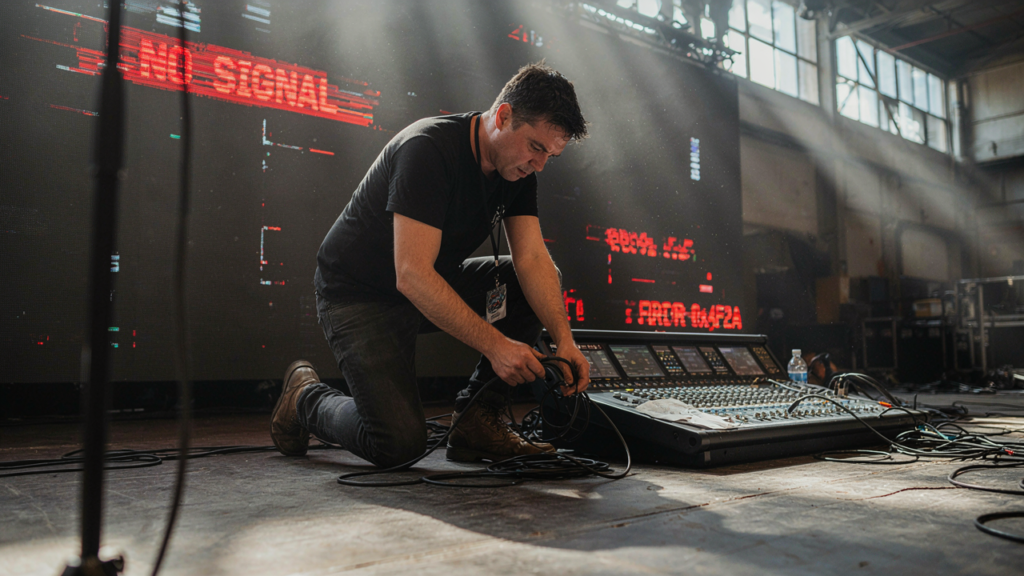
Internet drops, cables fail, and laptops freeze. Experts build a backup for every signal, including audio, video, and streaming paths. When something fails, the switch happens before viewers notice.
5. One Team Runs the Whole Show
When lighting, sound, video, and streaming come from different vendors, gaps appear. A single crew shares one plan and one set of cues. Problems get solved faster because everyone works together.
Events That Benefit Most From a Hybrid Format
Several event types suit a hybrid approach.
- Company town halls with teams in multiple locations
- Conferences with in-person sessions and remote attendees
- Product launches that need a wide audience
- Award ceremonies where nominees cannot attend
- Training sessions for large or spread-out teams
Each format has its own demands. A town hall needs smooth Q&A. A launch needs bold visuals for both audiences.
Common Hybrid Event Mistakes
Treating Remote Guests as an Afterthought
Many planners design for the room and add a stream later. Remote viewers then get a distant, hard-to-follow view. Plan for both audiences from the start.
Skipping the Rehearsal
Untested links and slides often cause live failures. Rehearse with every presenter, including remote speakers, on the real equipment.
Relying on a Single Internet Connection
One connection means one point of failure. Redundant connections keep the stream alive if the main line drops.
Ignoring Remote Interaction
Passive viewers drift away. Live polls, chat, and moderated Q&A keep them involved.
How to Prepare for a Hybrid Event
A strong plan makes the technical team’s job easier. Use this checklist.
- Define who your remote audience is and what they should experience
- Choose your streaming platform early
- Schedule tech rehearsals with all presenters, remote included
- Plan for interaction, such as live polls and Q&A
- Plan short breaks, since remote viewers can lose focus during long sessions
Questions to Ask Any Production Partner
- Do you build backups for audio, video, and streaming?
- Can you stream to any platform?
- Who runs the show on event day?
- How do you test remote speakers?
Bring Both Audiences Together
A hybrid event succeeds when remote guests feel as valued as those in the room. If you want a team that treats both audiences with equal care, Pro Sho Sound Services Inc. can support you. They produce hybrid events and live broadcasts with cameras, switching, clean audio, and streaming to any platform, plus a backup for every signal. Their crew also handles remote presenters and playback, and they have worked with brands such as Amazon, Google, and Samsung.
Contact them today to plan a hybrid event that keeps every viewer engaged.
Frequently Asked Questions
What is a hybrid event?
A hybrid event combines an in-person program with a live online experience. Attendees either join at the venue or connect remotely, and both groups follow the same program in real time.
Why do hybrid events need more equipment than in-person events?
They need cameras, switching, separate audio mixes, and streaming tools on top of standard sound and screens. Each added system also needs a trained operator and a backup plan in case something fails.
How far ahead should I plan a hybrid event?
Start as soon as you set your date and format. Early planning leaves time to choose a streaming platform, test remote speaker connections, and schedule rehearsals before the event day arrives.
Can remote attendees interact with the live program?
Yes. Live polls, chat, and moderated Q&A let remote viewers take part. A producer or moderator can bring their questions into the room so both audiences join the same conversation.
What happens if the internet connection fails during the event?
A well-planned production uses backup signals and redundant connections. If the main feed drops, the crew switches to the backup quickly, so remote viewers see little or no interruption during the program.
