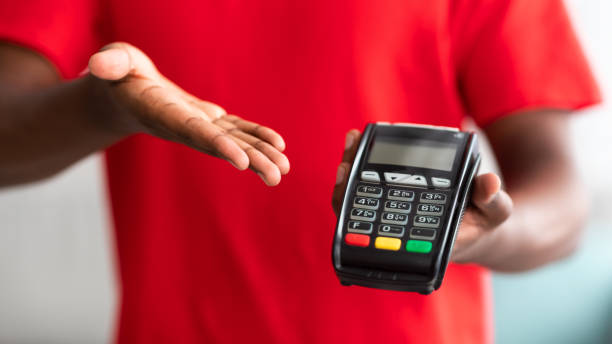
Choosing the right point-of-sale (POS) system can make daily business operations easier. A reliable POS system helps you accept payments, manage sales, print receipts, and serve customers without unnecessary delays. Whether you run a retail shop, café, restaurant, or convenience store, the right equipment can help you keep your checkout area organised and improve the customer experience.
The pax e700 is an Android-based POS terminal designed to bring several checkout functions into one device. It features a large touchscreen, a built-in receipt printer, and support for different payment methods, depending on the model and payment provider. These features may make it a useful option for small businesses. However, before buying one, it is important to understand its features, benefits, limitations, and overall cost.
What Is the PAX E700 POS System?
The PAX E700 is a smart countertop payment terminal designed for businesses that need a fixed checkout station. It combines payment hardware with an Android-based system that can run compatible POS applications.
The device includes a large touchscreen, a thermal receipt printer, and payment technology for supported card transactions. Depending on the configuration, it can accept chip cards, magnetic-stripe cards, and contactless payments.
Instead of using several separate devices, businesses can use the E700 to manage payment activities and other checkout tasks through compatible software. However, features such as inventory tracking, sales reports, and customer management depend on the POS application and service provider.
Key Features of the PAX E700
Understanding the main features of the E700 can help you decide whether it is suitable for your business.
1. Large Touchscreen Display
The PAX E700 features a 12.5-inch HD touchscreen that gives employees plenty of room to view sales information and use compatible POS software.
Staff can select products, review orders, check prices, and enter transaction details on the screen. For example, a retail employee can add items to a sale and check the total before accepting payment. A café can use compatible software to enter customer orders and calculate bills.
The large screen can make checkout tasks easier to follow, especially during busy hours. However, the overall experience depends on how well the software works with the device.
2. Built-In Receipt Printer
The E700 includes a thermal receipt printer, allowing businesses to print receipts without needing a separate printer for regular transactions.
This feature can help keep the checkout counter tidy and reduce the number of devices employees need to manage. It may be useful for retail shops, takeaway businesses, and convenience stores that print receipts throughout the day.
Before purchasing the terminal, check the cost and availability of receipt paper, replacement parts, and local repair services.
3. Support for Different Payment Methods
Customers use different payment methods, so accepting a range of options can help businesses provide a smoother checkout experience.
Depending on the model and payment setup, the E700 can support chip cards, magnetic-stripe cards, and contactless payments. Compatible digital wallets may also be available through NFC technology.
However, having the required hardware does not guarantee that every payment method will work. Contact your payment processor to confirm which cards and digital wallets you can accept.
4. Multiple Connectivity Options
The E700 supports connectivity options that may include Wi-Fi, Bluetooth, Ethernet, and mobile network connectivity, depending on the specific configuration.
A stable internet connection helps the terminal communicate with payment services and access online POS features. Businesses can choose a suitable connection based on their checkout setup and network availability.
Always check the specifications of the exact model before buying, as connectivity features may vary between versions.
Is the PAX E700 Suitable for Small Businesses?
The E700 can be a suitable option for small businesses that need a fixed checkout terminal with a large screen and built-in receipt printing. However, its suitability depends on the type of business, the software you need, and your budget.
Retail Shops
Retail businesses can use the E700 with compatible software to manage sales and accept payments. It may suit clothing shops, grocery stores, gift shops, and businesses selling household products.
If you need features such as barcode scanning, stock tracking, customer records, or loyalty programmes, confirm that your chosen POS application supports them.
Cafés and Small Restaurants
Cafés, takeaway shops, and small restaurants may benefit from the E700’s touchscreen and integrated printer. Staff can enter orders, calculate bills, and accept payments through a compatible system.
However, restaurant owners should check whether the software supports menu management, table orders, kitchen printing, tips, and order changes. These features are not automatically included with the terminal itself.
Convenience Stores
Convenience stores often process many transactions throughout the day. The E700’s touchscreen and built-in printer can help staff complete checkout tasks without using multiple separate devices.
It may be a good fit for businesses that have a dedicated checkout counter. Before purchasing, consider the space available for the terminal and any other equipment you need.
Main Benefits of the PAX E700
The E700 offers several features that may help small businesses manage everyday payments.
- All-in-one design: Combines important checkout hardware in one unit.
- Large touchscreen: Makes it easier to view sales details and use compatible applications.
- Built-in receipt printer: Reduces the need for a separate receipt printer.
- Multiple payment options: Supports different card payment methods, depending on the setup.
- Connectivity choices: Offers ways to connect to the internet and compatible devices.
- Android-based platform: Allows the use of supported business and payment applications.
These features can help keep the checkout area organised and simplify daily transactions. Still, the actual benefits depend on the software and payment services available to your business.
What Are the Limitations of the PAX E700?
Before investing in this POS terminal, consider the following points.
1. You Need Compatible POS Software
The E700 does not automatically include every feature required to run a business. You need compatible software that supports your products, payment provider, and daily operations.
Some applications offer stock management, sales reports, and customer records, while others focus mainly on payment processing. Ask your provider to demonstrate the software before you commit to a purchase.
2. Extra Costs May Apply
The purchase price is only one part of the total cost. Depending on your agreement, you may also need to pay for software subscriptions, payment processing, installation, technical support, and repairs.
Compare the complete cost of ownership rather than looking only at the device price. A terminal that costs less at the beginning may become more expensive if it requires additional equipment or costly services.
3. It Is Not Ideal for Every Business
The E700 is designed mainly for countertop use. Its size makes it less suitable for businesses that need a portable payment device.
For example, food trucks, mobile service providers, and staff who take payments away from the counter may prefer a smaller, portable terminal. Consider how and where you accept payments before choosing your equipment.
4. Check Availability and Technical Support
Product availability and support are important when choosing payment equipment. PAX lists the E700 as an end-of-life product on its North American website. This may not reflect the status of every regional version, so check with an authorised local supplier.
Ask whether the device can still be activated with your payment processor and whether software updates, security support, warranty service, and replacement parts are available. These checks are especially important if you plan to buy a used or refurbished unit.
How Much Does the PAX E700 Cost?
The price of the E700 can vary depending on the seller, location, device condition, and services included with the purchase.
Before making a decision, ask your provider about these possible expenses:
- Initial purchase or rental fees.
- Monthly POS software charges.
- Credit and debit card processing fees.
- Setup and employee training costs.
- Maintenance and repair expenses.
Request a complete quote so you understand the total cost. You should also check whether the terminal works with your current payment processor or requires a new agreement.
PAX E700 vs. Other POS Systems
It is worth comparing the E700 with other countertop terminals and portable POS systems before making your final choice.
The E700 may suit businesses that want a large display and built-in receipt printing. However, if you need newer hardware or a portable design, compare current devices that offer the features you require.
Look at software compatibility, payment processing costs, security support, warranty coverage, and available payment methods. A newer device may be a better long-term option if it offers reliable support and meets your business needs.
Final Thoughts: Is the PAX E700 Worth It?
The PAX E700 can be a useful POS solution for small retail shops, cafés, convenience stores, and other businesses that need a fixed checkout station. Its large touchscreen, built-in receipt printer, and support for different payment methods can make everyday transactions easier to manage.
However, the device may not be right for every business. Software compatibility, total operating costs, product availability, and technical support should all be considered before buying. Its end-of-life status in North America also makes it important to confirm the support available in your region.
Before choosing a terminal, compare your options and make sure the hardware works with your preferred payment processor. You can also explore payment solutions through Direct Processing Network to learn more about payment processing and the services that may suit your business. Choosing the right combination of equipment and payment services can help you manage transactions smoothly and provide a better checkout experience for your customers.