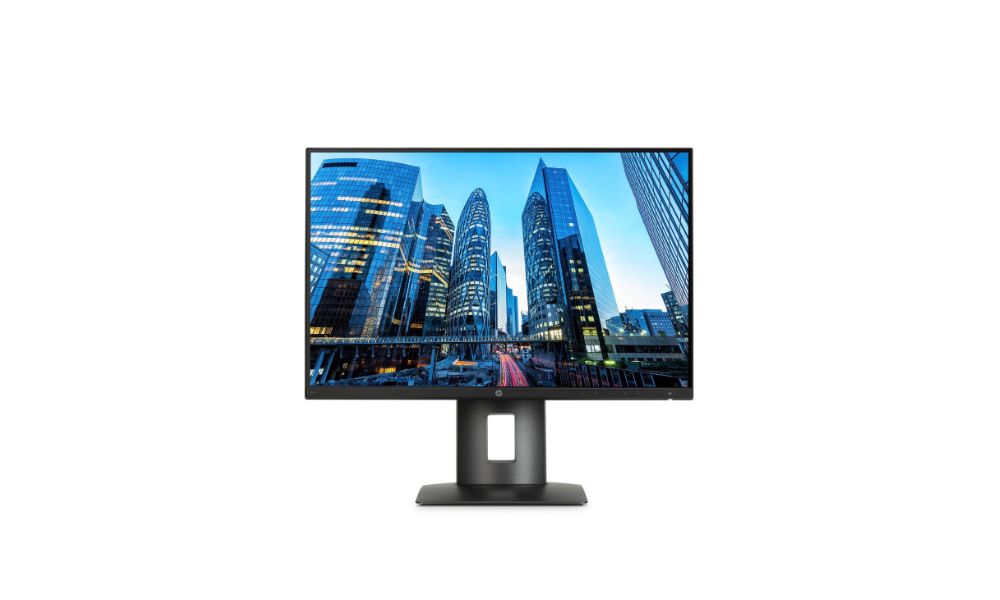
Choosing the right monitor is a key part of building a professional workstation. A good display helps you work faster, see details clearly, and stay comfortable during long hours. Whether you are a designer, engineer, video editor, or office professional, your monitor directly affects how well you perform daily tasks.
HP’s Z Display monitors are made specifically for professional use. They focus on clear visuals, accurate colors, flexible adjustments, and reliable connections. One popular model in this lineup is the HP Z24n monitor, which offers a strong balance of performance, comfort, and value for professional workstations.
Why Display Quality Matters for Professional Workstations
Professional work often involves detailed visuals, long screen time, and multitasking. Standard office monitors may not meet these needs. A professional monitor should deliver stable performance and consistent quality every day.
Key reasons display quality matters include:
- Clear and sharp visuals for detailed work
- Accurate colors for design and editing tasks
- Comfortable viewing during long work sessions
- Reliable performance for demanding software
- Better productivity through larger screen space
HP Z Display monitors are designed with these needs in mind, making them suitable for serious work environments.
Overview of HP Z Display Monitors
The HP Z Display series is built for users who need dependable and high-quality monitors. These displays are commonly used in creative studios, engineering offices, corporate workspaces, and technical environments.
HP focuses on three main goals with the Z Display range:
- Visual accuracy: clean images and reliable colors
- User comfort: adjustable stands and wide viewing angles
- Workstation compatibility: easy connection with professional systems
These monitors are tested to work smoothly with HP workstations and other professional computers.
Display Panel and Image Quality
Most HP Z Display monitors use IPS panel technology. IPS panels are known for clear images and stable colors, even when viewed from the side. This is helpful when multiple people need to look at the same screen.
Benefits of IPS panels include:
- Consistent brightness across the screen
- Accurate color display
- Wide viewing angles
- Better image quality for professional tasks
The HP Z24n monitor uses an IPS panel that delivers sharp images and clean text, making it suitable for both creative and technical work.
Screen Size and Resolution Options
HP Z Display monitors come in different sizes and resolutions to match various work needs. Resolution affects how much information you can see on the screen at once.
Common options include:
- Full HD (1920 × 1080): Good for basic office work
- Higher resolutions: Better for multitasking and detailed visuals
The HP Z24n monitor features a 24-inch screen, which is a practical size for most desks. It provides enough space for working with multiple windows without taking up too much room.
Ergonomic Design for Daily Comfort
Comfort is important when you spend many hours in front of a screen. HP Z Display monitors are built with adjustable stands to help users find a comfortable viewing position.
Most models offer:
- Height adjustment
- Tilt control
- Swivel movement
- Pivot rotation for portrait mode
The HP Z24n monitor includes all these adjustments, allowing users to set the screen at eye level and reduce neck and shoulder strain.
Connectivity and Port Options
Professional workstations often connect to several devices at once. HP Z Display monitors support common connections used in office and studio setups.
Typical connection options include:
- DisplayPort
- HDMI
- USB ports for accessories
The HP Z24n monitor also includes a built-in USB hub. This allows users to connect keyboards, mice, or storage devices directly to the monitor, helping keep the desk organized and reducing cable clutter.
Color Accuracy and Calibration Support
Color accuracy is essential for tasks like photo editing, graphic design, and video work. HP Z Display monitors are factory-calibrated to provide reliable color performance right out of the box.
Advantages of HP color calibration include:
- More accurate on-screen colors
- Better consistency across the display
- Reduced need for manual adjustment
The HP Z24n monitor offers dependable color quality, making it suitable for professionals who need consistent and trustworthy visuals.
HP Z24n Monitor: A Closer Look
The HP Z24n monitor is designed for professionals who want a reliable everyday display. It fits well into both single-monitor and multi-monitor setups.
Design and Build Quality
The monitor has a clean, modern look with slim edges. This makes it ideal for dual or triple monitor setups, as the thin borders reduce gaps between screens.
The stand is solid and easy to adjust, helping users maintain a comfortable posture throughout the workday.
Performance for Professional Tasks
The HP Z24n monitor handles daily professional tasks smoothly. It offers clear visuals, steady brightness, and sharp text. This makes it suitable for:
- Office work and documentation
- Design and layout tasks
- Coding and technical work
- Data review and analysis
The screen remains easy on the eyes, even during long working hours.
Everyday Usability
Users appreciate the HP Z24n monitor for its simple setup and dependable performance. The on-screen menu is easy to use, allowing quick changes to brightness and display settings.
Its energy-efficient design also helps reduce power use, which is useful for offices running multiple workstations.
Choosing the Right HP Z Display Monitor
When selecting an HP Z Display monitor, it’s important to consider how you will use it.
Key factors to think about:
- Type of work: Design, engineering, office, or data tasks
- Screen size: Based on desk space and multitasking needs
- Resolution: Higher resolution for detailed work
- Color needs: Important for creative professionals
- Connectivity: Match with your workstation and devices
For many users, the HP Z24n monitor offers a balanced option that fits a wide range of professional needs.
Who Should Use HP Z Display Monitors?
HP Z Display monitors are suitable for many professional roles, including:
Creative Professionals
Designers and editors benefit from accurate colors and clear visuals.
Engineers and Architects
Sharp display quality helps when working with detailed drawings and plans.
Office Professionals
Large screen space and ergonomic comfort improve daily productivity.
Data and IT Specialists
Clear text and reliable performance support long analysis sessions.
Final Thoughts
A professional workstation is incomplete without a reliable monitor. HP Z Display monitors are built to support serious work with clear visuals, comfortable design, and strong connectivity.
The HP Z24n monitor stands out as a dependable choice for professionals who want quality without unnecessary complexity. It delivers strong performance, user comfort, and consistent visuals that support everyday professional tasks.
By choosing the right HP Z Display monitor, you can create a workstation that helps you work efficiently, stay comfortable, and maintain consistent results throughout the day.
