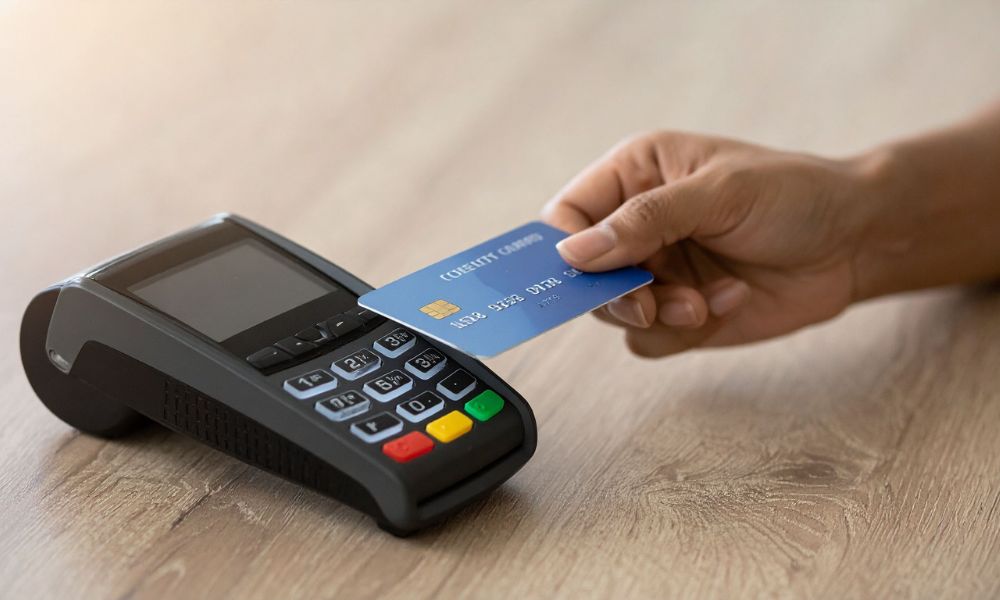
Digital payments have become a normal part of everyday life. Customers no longer want to wait in long lines or handle cash when faster options are available. Instead, they prefer quick and simple ways to pay using their cards, phones, or even smartwatches.
Contactless payments are leading this change. With just a tap, a transaction can be completed in seconds. This not only saves time but also creates a smoother and more pleasant experience for customers. For businesses, offering contactless payment options is no longer optional—it is an important step toward staying competitive.
What Are Contactless Payments?
Contactless payments allow customers to pay by tapping their card or device on a payment terminal. This works through a technology called Near Field Communication (NFC), which lets two devices communicate when they are close to each other.
Instead of inserting a card or swiping it, the customer simply taps and waits for confirmation. The process is quick, secure, and easy to use.
Common contactless payment methods include:
- Tap-enabled debit and credit cards
- Mobile wallets like Apple Pay or Google Pay
- Wearable devices such as smartwatches
Getting to Know the Dejavoo P5
The Dejavoo P5 is a portable payment device designed to handle modern transactions. It runs on an Android system and supports different payment methods, including contactless, chip, and swipe payments.
This device is especially useful for businesses that need flexibility. Whether you are working at a counter, moving around a store, or accepting payments on the go, it allows you to complete transactions without being tied to one place.
Why Contactless Payments Matter for Your Business
Accepting contactless payments is not just about keeping up with trends. It offers real benefits that can improve how your business operates.
First, it speeds up transactions. Customers can pay in seconds, which reduces waiting time and helps you serve more people.
Second, it improves customer satisfaction. People appreciate fast and easy payment options, and they are more likely to return when the experience is smooth.
Finally, it helps your business look modern and professional. Offering advanced payment methods shows that you are ready to meet today’s expectations.
Setting Up the Device
Before you start accepting payments, you need to set up the device properly.
Begin by turning it on and connecting it to the internet. You can use Wi-Fi or mobile data, depending on what is available. A stable connection is important because payments are processed online.
Next, install or open the payment application provided by your payment service. This app is what allows you to enter amounts and process transactions.
You also need to make sure your merchant account is active. This is where the money from your transactions will be deposited.
Enabling Contactless Payments
The device already has built-in NFC capability, so you do not need extra equipment.
In most cases, contactless payments are ready to use by default. However, it is a good idea to check your payment app settings to make sure the feature is enabled.
Keeping the device updated is also important. Software updates can improve performance, fix issues, and ensure compatibility with newer payment methods.
How to Accept a Contactless Payment
Using the device for contactless payments is simple and easy to learn.
Start by entering the total amount of the sale into the payment app. Once the amount is confirmed, select the card payment option.
Ask the customer to tap their card or device near the contactless area. The device will detect it automatically.
Within a few seconds, the transaction will be processed. You will see a confirmation message on the screen, and the payment will be complete.
After that, you can send a receipt to the customer through email or SMS if needed.
Types of Payments You Can Accept
The device supports a wide range of contactless payment options, which makes it convenient for both you and your customers.
Customers can use tap-enabled debit or credit cards. They can also pay using mobile wallets on their smartphones. Many wearable devices, like smartwatches, are also supported.
This flexibility ensures that you can accept payments from almost anyone without any hassle.
Keeping Transactions Secure
Security is an important part of any payment system. Contactless payments are designed to be safe and reliable.
Each transaction is encrypted, which means the data is protected while it is being processed. Mobile wallets add another layer of security by using tokenization, which hides the actual card details.
Also, because contactless payments work only at a very short distance, the chances of unauthorized use are low.
Where This Device Works Best
This type of payment solution is useful in many business settings.
Retail stores can use it to speed up checkout lines. Restaurants can take payments directly at the table. Delivery services can accept payments at the customer’s location.
It is also a great option for events, pop-up shops, and small businesses that need a portable payment system.
Common Problems and Simple Fixes
Sometimes, small issues can occur while using the device.
If contactless payments are not working, check if the feature is enabled and restart the device. If a payment is declined, it could be due to the customer’s card or network issues.
Slow processing is often related to internet connectivity, so switching to a stronger network can help.
Tips for Better Performance
To keep everything running smoothly, make sure the device is always charged and updated. Train your staff so they know how to use it properly.
A stable internet connection is one of the most important factors for smooth transactions. Also, use strong passwords to keep the system secure.
Final Thoughts
Contactless payments are becoming more popular every day, and businesses that adopt them early can benefit the most. They make transactions faster, improve customer experience, and help your business stay up to date.
The Dejavoo P5 is a simple and effective tool that makes it easy to accept these payments. With the right setup and basic understanding, you can start offering fast and convenient payment options to your customers without any difficulty.
As more people move toward cashless payments, having a reliable contactless payment solution will help your business grow and stay competitive.