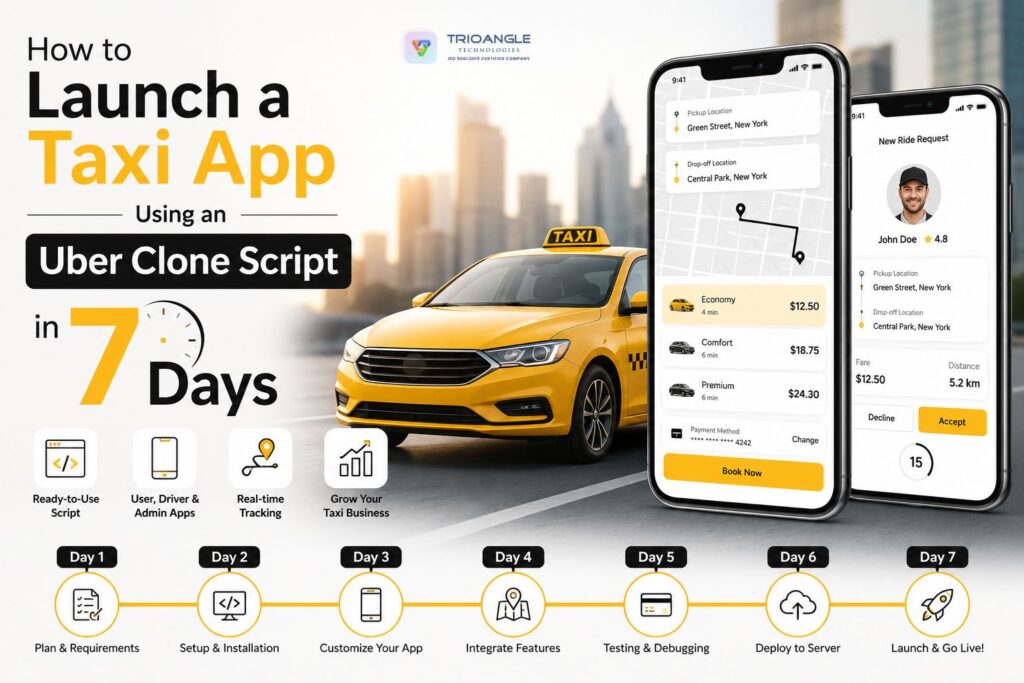
Are you keenly planning to launch a Taxi booking app like Uber, that too within a week? Well, it’s easy! Starting your ride-hailing business doesn’t necessarily need to take months of coding if you use proper strategies.
Using an Uber clone script, a pre-built software solution helps you get started with the process within a few days. Amazing, isn’t it!
So, in this blog, let’s dive into the steps on how to launch your very own Uber-like App using a cost-effective Uber clone script successfully in just 7 days.
Effective Steps to follow to launch an Uber clone in 7 days
In this section, we can look at the steps on how to launch a taxi booking platform using the Uber clone script.
Here is a simple daily breakdown to make it happen.
Day 1: Pick Your Script and Hosting
First, buy a reliable Uber clone script from a trusted provider. Make sure it includes apps for riders, drivers, and an admin dashboard. Then, buy a good cloud hosting plan (like AWS or DigitalOcean) to keep your app online and running fast.
Day 2: White Label Your Script
It’s important to make the user experience and look of the app unique from others. So, invest time in customizing the logo, color palette, typography, and other visual elements to align with your brand identity.
A distinctive design with user-friendly features enhances credibility and automatically strengthens brand recognition, thereby weaving loyal set of customers for your Uber clone app.
Day 3: Set Up Payments and Maps
Connect your payment gateways like Stripe or PayPal, so riders can pay easily and securely. Also, link the Google Maps API.
Third-party integration is critical for routing, live location tracking, and calculating fares accurately.
Day 4: Test Everything
Before you go public, test the app yourself. Create a test rider account and a test driver account. Request a ride, accept it, and finish the trip. Check if the GPS tracks correctly and if the payment goes through without any errors.
Undergo the testing process with
- Security testing
- Manual testing ,
- Load testing
- Real-device testing
Day 5: Submit to App Stores
Getting approved by Apple and Google takes a little time. Create your developer accounts on the Apple App Store and Google Play Store, upload your customized apps, fill in the descriptions, and submit them for review.
Day 6: Get started with your local marketing
While waiting for app store approval, build some hype. Run local Facebook or Instagram ads, print flyers for your city, or offer a promo code for the first 100 riders. You also need drivers, so offer them zero-commission rides for their first month to get them to sign up early.
Day 7: Time to deploy the App and monitor it
Once your apps are approved and available on the app stores, your business is officially up and running. Keep a close eye on your admin dashboard and respond quickly to any bugs or customer issues that arise.
Most importantly, pay attention to feedback from your first users. Their experiences and suggestions can provide valuable insights for improving your product and shaping future updates.
Conclusion
We have come to the end of the blog!
Launching in 7 days is fast, but using a ready-made Uber clone app makes it very doable by following the above-mentioned steps.
Stick to the basics to get your business off the ground, and focus on adding fancy extra features later, once you have real customers.
