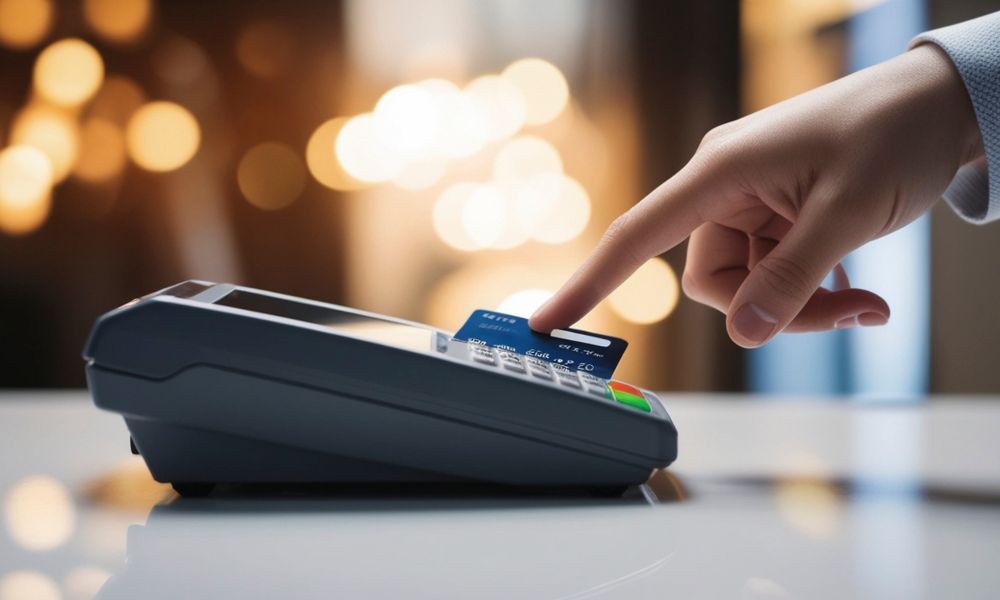
In today’s world, being able to accept a variety of payment methods is crucial for any business. Customers want the flexibility to pay the way that works best for them, whether that’s using a card, their smartphone, or a mobile wallet. The Pax A80 terminal is designed to make this process easier by accepting a wide range of payment methods. From chip and contactless cards to mobile payments and QR codes, this device can handle it all, helping businesses keep up with modern payment trends.
The Pax A80 is a smart, Android-based point-of-sale (POS) terminal that provides businesses with everything they need to accept secure payments. It’s ideal for environments like retail stores, restaurants, service providers, and mobile vendors. The terminal supports both traditional payment methods and newer, tech-driven options, making it highly versatile. Whether you’re a small business owner or part of a large enterprise, learning how to use this terminal to accept payments can enhance your customer service experience and streamline your operations.
Setting Up the Pax A80
Before you can start accepting payments, it’s important to get the Pax A80 set up and ready for use.
Internet Connection
To process any payments, the Pax A80 must be connected to the internet. The device offers multiple options for connectivity, including:
- Wi-Fi: Best for fixed retail locations.
- 4G/LTE: Ideal for businesses that need to move around or operate in areas with limited internet access.
- Ethernet: A more stable option for environments with a fixed setup.
Once you’ve connected to the internet, it’s crucial to test the connection by running a test transaction. This ensures that everything is working properly before you start processing payments.
Linking to Your Payment Processor
The next step is linking the terminal to your payment processor. This process typically involves installing a payment app on the terminal, entering your merchant ID, and activating the terminal using a code provided by your payment provider. Once activated, your Pax A80 will be ready to accept payments.
Software and Security Updates
It’s essential to keep the device’s software and security features up to date. This includes installing any necessary encryption keys, certificates, and ensuring that the operating system is up to date. Doing this helps protect both your business and customers from fraud and ensures smoother transactions.
How to Accept Chip Payments (EMV)
Chip cards, also known as EMV cards, are a popular payment method because they offer more security than magnetic stripe cards. To accept chip payments:
- Insert the chip card into the reader at the bottom of the Pax A80.
- The terminal will automatically detect the chip and begin processing.
- If required, the customer will enter their PIN or sign the receipt to authorize the transaction.
This method is straightforward and ensures that payments are secure.
How to Accept Magnetic Stripe Payments
While chip cards are now the standard for many customers, some still use older magnetic stripe cards. Here’s how to accept these payments:
- Swipe the card through the reader on the side of the terminal.
- The terminal will read the information on the card and begin the transaction process.
- The customer may be asked to provide their signature or enter a PIN if needed.
This method is quick but less secure than EMV, which is why many businesses are shifting toward chip and contactless payments.
Accepting Contactless Payments (NFC)
Contactless payments are becoming increasingly popular because they are fast and easy. Customers can pay using a contactless card, smartphone, or smart device. Here’s how you can accept these payments with the Pax A80:
- Tap the card or device near the terminal’s NFC sensor.
- The terminal will automatically process the payment.
- For transactions under a certain limit, the payment may be processed without requiring a PIN or signature.
This method is ideal for quick transactions and is becoming more common in various industries.
How to Accept Mobile Wallet Payments
Mobile wallets such as Apple Pay, Google Pay, and Samsung Pay allow customers to pay using their smartphones. The Pax A80 makes it easy to accept these types of payments. Here’s how:
- Have the customer open their mobile wallet and select the card they want to use.
- The customer will then tap their phone on the terminal’s NFC reader.
- The terminal processes the payment quickly, just like with contactless cards.
This is a fast and secure way to accept payments, and it’s becoming more popular with tech-savvy customers who prefer using their phones for transactions.
QR Code Payments
QR code payments are another modern payment option supported by the Pax A80. This is especially useful for businesses that want to accept payments remotely or don’t want to handle physical cards. Here’s how you can accept QR code payments:
- Display the QR code on the Pax A80 screen or on a printed sign.
- The customer will scan the code using their mobile device.
- The payment is processed once the customer enters the payment details on their phone.
This method is often used for payments through apps like Alipay, WeChat Pay, or other QR-based systems. It’s also popular in regions like Asia and parts of Europe.
Accepting Gift and Loyalty Cards
If your business offers gift cards or has a loyalty program, the Pax A80 can handle these transactions as well. Accepting these cards typically involves:
- Scanning the gift card barcode or entering the card number manually.
- The terminal will check the card balance and allow the customer to use it as part of their payment.
- If the gift card doesn’t cover the full amount, the customer can pay the remainder with another payment method.
Integrating gift and loyalty cards into your payment system can increase customer retention and improve the overall shopping experience.
How to Accept Buy Now, Pay Later (BNPL) Payments
Buy Now, Pay Later services like Klarna and Afterpay allow customers to split their payments into installments. The Pax A80 supports these services, and the process is similar to regular credit card payments:
- Select the BNPL payment option on the terminal.
- The customer will choose their installment plan.
- The payment will be processed just like a regular card payment, and the remaining balance will be charged according to the customer’s payment schedule.
This is becoming a popular option for customers who want to manage their finances more flexibly.
Integrating the Pax A80 with Your POS System
While the Pax A80 can work as a stand-alone device, it’s often best to integrate it with your POS system. Integration allows for smoother transaction processing and better reporting.
To integrate the terminal with your POS:
- Use the API or SDK provided by your payment provider.
- Connect the Pax A80 to your POS using Bluetooth or a wired connection.
- Sync the payment data across your devices for real-time updates.
Once integrated, your sales, inventory, and payment data will automatically sync, helping you keep everything organized and up to date.
Managing Receipts and Transaction Reports
After each transaction, it’s important to manage receipts and reports. The Pax A80 allows you to customize receipt options, including printing, emailing, or sending receipts via SMS. You can also enable QR receipts for an easy, paperless option.
Additionally, make sure to settle your batch at the end of each day to reconcile your transactions. This will ensure that funds are transferred to your merchant account smoothly.
Troubleshooting Payment Issues
Sometimes, you may encounter issues with payments. Here are some common problems and solutions:
- Card not reading: Ensure the card is properly inserted or swiped. If the card is damaged, ask the customer to try another method.
- Contactless payment failing: Check that NFC is enabled and that the customer’s device is close enough to the reader.
- Network issues: Switch to a different internet connection (Wi-Fi, Ethernet, or 4G).
- Transaction decline: This could be due to insufficient funds or an issue with the card issuer. Ask the customer to try another card or payment method.
Security and Compliance
The Pax A80 is designed with security in mind. It complies with PCI DSS standards and uses EMV encryption to protect customer card data. Make sure to keep the terminal’s software and security certificates up to date to ensure safe and secure transactions.
Advanced Features of the Pax A80
The Pax A80 comes with several advanced features that can enhance the customer experience:
- Split payments: You can split a transaction across multiple payment methods, such as a gift card and a credit card.
- Refunds: Easily process refunds directly from the terminal.
- Tips and gratuities: Prompt customers to add a tip with customizable options for restaurants or service-based businesses.
These features make the Pax A80 a versatile solution for all types of businesses.
For more detailed product information and purchasing, check out the Pax A80.
Conclusion
The Pax A80 terminal is an excellent choice for businesses looking to accept a wide variety of payment methods. Whether you’re processing chip cards, mobile wallets, QR payments, or even BNPL options, the Pax A80 can handle it all with ease. By setting up your terminal properly, integrating it with your POS system, and using best practices for security and transaction management, you can provide a smooth and secure payment experience for your customers.
With the flexibility and ease of use offered by the Pax A80, you can focus more on running your business and less on worrying about payment processing. Whether you’re in retail, hospitality, or mobile sales, this terminal has everything you need to accept payments efficiently and securely.
