If you look at how most offices were set up a few years ago, it was common to see separate machines for printing, scanning and copying. It worked, but it also meant more maintenance, more space taken up, and more things that could go wrong.
Now, businesses are simplifying that entire setup. Instead of managing multiple devices, they’re moving towards a single multi-function business printer that can handle everything in one place. It’s a practical shift, especially for teams that want to reduce friction in everyday tasks.
Fewer Devices, Less Chaos
Having separate machines sounds manageable until something breaks down or workflows start overlapping. One team needs to scan documents while another is waiting to print, and suddenly small delays start adding up.
A multifunction setup removes that fragmentation. When printing, scanning and copying are handled through a single system, it becomes easier to manage workloads without constantly switching between devices. It also frees up space, which is often overlooked but matters in smaller offices.
Running Costs Start to Matter More Over Time
For growing businesses, cost isn’t just about the initial purchase. It’s the ongoing expense of consumables, maintenance and downtime.
This is where refillable ink tank systems are becoming more relevant. Instead of frequently replacing cartridges, businesses can manage high-volume printing at a much lower running cost. Over time, that difference adds up, especially for teams that rely heavily on document output.
Speed Without Complication
Efficiency isn’t just about doing more, it’s about doing things without unnecessary steps. A printer that can handle consistent speeds for both black and colour documents keeps workflows predictable.
In a busy office, even small delays in printing or scanning can disrupt the flow. When a device is built to handle steady volumes without slowing down, teams don’t have to plan their work around the printer.
Connectivity Should Be Seamless
Work doesn’t happen from a single desk anymore. People print from laptops, phones and shared networks, often without being physically close to the device.
Having flexible connectivity options, whether through wireless networks, direct connections or mobile printing standards, makes a noticeable difference. It allows teams to send documents to print without overthinking the process or depending on one system.
Where It Starts Making Practical Sense
The MAXIFY GX6070 is built for offices that deal with regular, high-volume printing but don’t want the overhead of managing multiple machines. It brings together print, scan and copy functions in a compact format, while the refillable ink tank system helps keep running costs predictable over time.
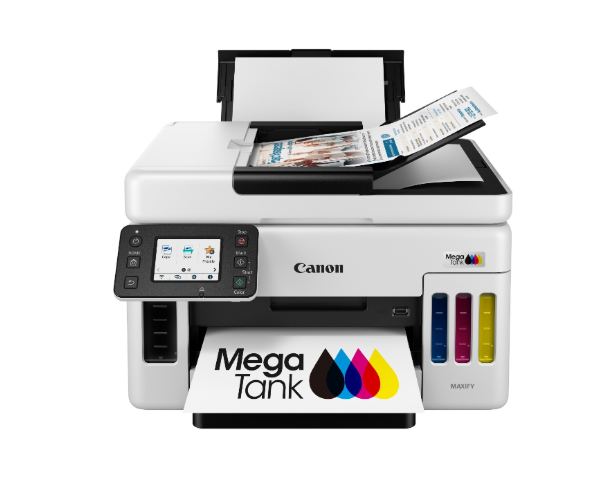
Source
Its print speeds are well-suited for everyday office work, and the ability to connect wirelessly or through a network means teams can access it without being tied to a single workstation. It’s the kind of setup that quietly supports daily operations without demanding constant attention.
When you remove unnecessary layers from your office setup, even routine tasks start moving faster, and that’s usually where the real productivity gains show up.
