A reliable point-of-sale system can make everyday business operations easier. From accepting payments to tracking sales and managing products, businesses need tools that can handle several tasks without making the checkout process complicated.
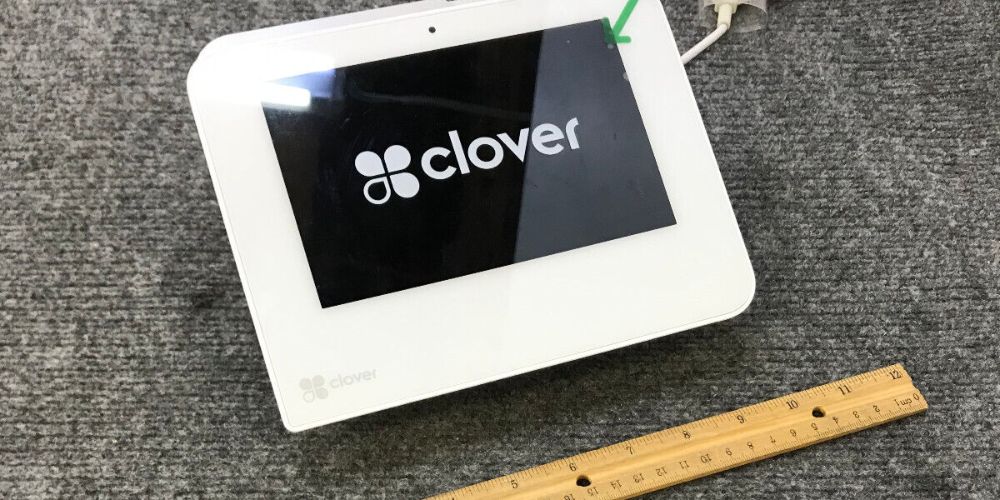
The Clover Station Solo is an all-in-one point-of-sale system designed for businesses that need a fixed checkout station. It combines a large touchscreen with payment processing, sales management, reporting, employee tools, and other business features.
What Is Clover Station Solo?
Clover Station Solo is a countertop POS system built around a 14-inch high-definition touchscreen. It is designed to give businesses a central place to process transactions and manage daily operations.
The system can be used for tasks such as taking payments, creating orders, tracking sales, managing inventory, and reviewing business reports. It can also work with other Clover devices, allowing businesses to add hardware as their needs change.
Because it is designed for a fixed checkout area, Clover Station Solo can be a practical choice for retail stores, restaurants, and service businesses that operate from a regular counter.
Key Features of Clover Station Solo
14-Inch Touchscreen Display
The Clover Station Solo has a 14-inch high-definition touchscreen. The larger display gives employees room to view products, orders, reports, and other POS functions.
The screen can also be tilted, which can make it easier to position the system comfortably at a checkout counter.
Multiple Payment Options
Payment flexibility is an important part of a modern POS system. Clover Station Solo supports common payment methods, including chip and swipe cards.
Depending on the selected Clover setup and services, businesses can also accept contactless and other payment types. Clover’s current product information lists credit and debit cards, cash, checks, and mobile wallet payments among supported options.
Offering several payment choices can help businesses serve customers who prefer different ways to pay.
Built-In Receipt Printer
The system is designed to work with a high-speed thermal receipt printer. A cash drawer is also included with the U.S. Station Solo configuration described by Clover.
Having these components together can reduce the need to build a checkout setup from separate pieces of hardware.
Inventory Management
Clover Station Solo can help businesses keep track of products and sales. Businesses can create items, organize products into categories, create variations, and monitor stock levels.
For retailers, this can make it easier to connect sales activity with inventory records. Restaurants can also use product and menu management features to organize items and customizations.
Sales Reporting
Business owners need clear information to understand how their business is performing. Clover provides reporting tools that allow merchants to review sales and other business information.
The system can provide detailed sales reports, tax reporting, real-time sales tracking, and cost information depending on the plan and setup.
These reports can help owners review daily activity and identify sales patterns without relying only on manual records.
Business Benefits of Clover Station Solo
Helps Centralize Daily Operations
One of the main benefits of Clover Station Solo is that it combines several business functions in one system.
Instead of using separate tools for every task, employees can use the POS for payments, orders, inventory, reporting, and employee-related functions. This can make routine operations more organized.
Supports Different Types of Businesses
Clover Station Solo is available with features designed for different business needs. Clover highlights retail, restaurant, and service businesses as areas where its POS systems can be used.
Restaurant-focused plans can include features such as table management, open tabs, split bills, online ordering, and QR-code ordering. Retail-focused features include inventory tools, product variations, reporting, and online store integration.
This flexibility allows businesses to choose features based on how they operate.
Employee Management
Managing employees is another area supported by the Clover platform. Businesses can create employee profiles, manage schedules and hours, and set system permissions.
These tools can help owners control access to POS functions and keep employee information organized.
Connectivity Options
Clover Station Solo can connect through Wi-Fi and Ethernet. Current Clover product information also lists 4G/LTE connectivity for the device.
Having different connectivity options can be useful for businesses with different network setups. However, merchants should check the specific configuration and service terms available to them before choosing a system.
Can Grow With the Business
Businesses often change as they grow. A POS system that can work with additional devices can make it easier to expand operations.
Clover states that Station Solo works with other Clover devices. Businesses can therefore build a broader POS setup when they need additional payment or operational hardware.
Clover Station Solo for Retail Businesses
Retail stores can use Clover Station Solo to manage checkout and product information from one central system.
Inventory tools can help businesses organize products, track stock, and record sales. Reporting features can also give owners a clearer view of sales activity.
Additional hardware, such as barcode scanners and weight scales, can be added depending on the business setup and requirements.
Clover Station Solo for Restaurants
Restaurants have different POS requirements from retail stores. They may need tools for menus, orders, tables, tips, and payments.
Clover’s restaurant plans can support features such as online ordering, QR-code ordering, open tabs, table mapping, and split bills.
For restaurants with counter or fixed checkout areas, a large touchscreen can provide space for staff to review orders and process transactions.
What to Consider Before Choosing Clover Station Solo
Before purchasing or setting up Clover Station Solo, businesses should consider their specific requirements.
First, check which payment methods and features are included with the selected plan. Features can vary depending on the service plan and business type.
It is also important to consider internet connectivity, additional hardware, software costs, payment processing terms, and compatibility with existing business systems.
Businesses should review the current pricing and service terms before making a decision because costs and available features can change over time. Clover’s official pricing page provides current plan and feature information.
Frequently Asked Questions
1. What is Clover Station Solo?
Clover Station Solo is an all-in-one countertop POS system with a 14-inch touchscreen. It combines payment processing with tools for sales, inventory, reporting, and business management.
2. Does Clover Station Solo accept card payments?
Yes. Clover Station Solo supports common card payment methods, including chip and swipe payments. Other payment options may be available depending on the merchant’s plan and setup.
3. Is Clover Station Solo suitable for restaurants?
Yes. Clover offers restaurant-focused plans with features such as online ordering, QR-code ordering, table management, open tabs, and split bills.
4. Can Clover Station Solo manage inventory?
Yes. Businesses can create and categorize items, manage product variations, and track stock using supported Clover features.
5. Can businesses add other Clover devices?
Yes. Clover states that Station Solo works with other Clover devices, allowing businesses to build a larger POS setup as their needs change.
Final Thoughts
The Clover Station Solo brings payment processing, sales management, inventory tools, reporting, and employee features together in one countertop POS system. Its large touchscreen, payment support, receipt printing, and ability to work with additional Clover devices make it a flexible option for businesses with fixed checkout locations.
For businesses exploring payment terminals and POS solutions, Direct Processing Network can provide another option to consider when reviewing available payment hardware and processing services.
