Customer satisfaction is an important part of running a successful restaurant or food service business. Customers expect quick service, accurate orders, simple payment options, and a comfortable experience whenever they visit. Long waiting lines, order mistakes, and slow checkout processes can make customers unhappy and may stop them from returning.
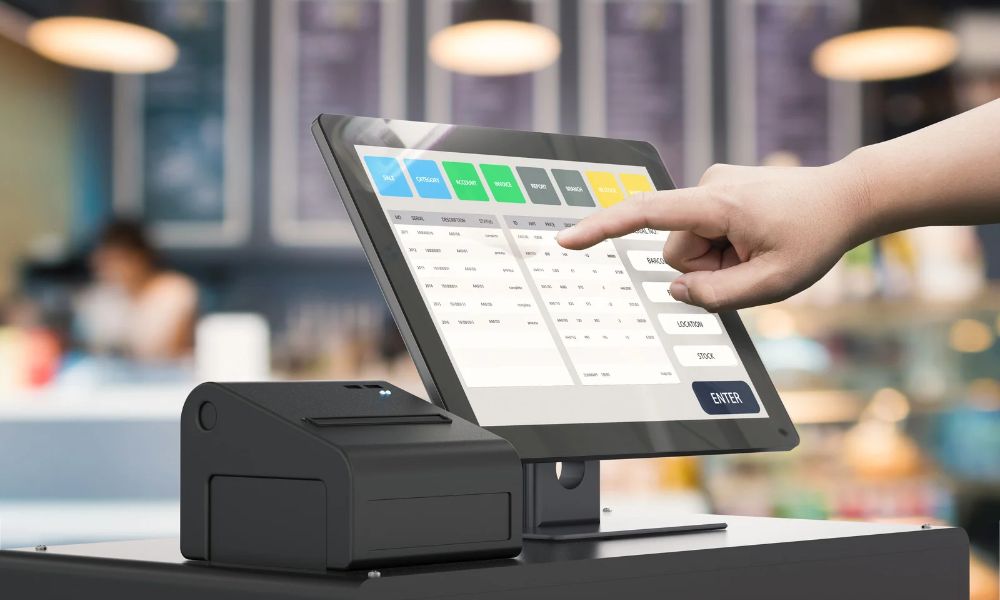
As customer expectations continue to change, businesses need better ways to manage orders and provide convenient service. Technology has made this easier through self-ordering kiosks. These touchscreen systems allow customers to browse menus, choose their favorite items, customize orders, and make payments without waiting for an employee. This gives customers more control over the ordering process while helping businesses serve people more efficiently.
Modern solutions such as Clover kiosks make it easier for restaurants to improve their ordering experience and manage daily operations. By offering a simple and organized way to place orders, businesses can reduce common service problems and create a more positive experience for their customers.
Reduces Waiting Time and Makes Ordering Faster
Waiting in long lines can affect how customers feel about a restaurant. During busy hours, employees may have difficulty taking orders quickly while handling payments and answering customer questions. This can create delays and make the ordering area crowded.
Self-ordering kiosks help solve this problem by allowing customers to place orders directly through a touchscreen. Instead of waiting for an employee to become available, customers can start browsing the menu and selecting their items.
Multiple customers can also use separate kiosks at the same time, helping restaurants manage more orders during busy periods.
Some benefits include:
- Reducing long lines at the ordering counter.
- Helping customers place orders without unnecessary delays.
- Making busy service hours easier to manage.
- Allowing employees to focus on other tasks.
A faster ordering process saves time and helps customers enjoy a more comfortable visit.
Gives Customers More Control Over Their Orders
Customers often have different food preferences and ordering needs. Some may want extra ingredients, while others may need to remove certain items or choose a different size. Explaining every detail to an employee can sometimes lead to confusion or mistakes.
Self-ordering kiosks make customization easier because customers can select their preferences directly on the screen. They can review available options and make changes before confirming their orders.
For example, someone ordering a sandwich can select the bread type, add extra cheese, remove vegetables, or choose a preferred side if those options are available.
This gives customers more confidence because they can check their selections before completing the purchase.
Other advantages include:
- Making product customization simple.
- Giving customers time to review their choices.
- Reducing confusion during the ordering process.
- Helping customers feel more confident about their orders.
When customers can easily select what they want, they are more likely to enjoy the overall experience.
Helps Improve Order Accuracy
Receiving the wrong food or missing an item can create a poor customer experience. These problems often happen when orders are misunderstood or details are entered incorrectly during busy periods.
Self-ordering kiosks help reduce these issues by allowing customers to enter their selections directly into the system. Instead of explaining every item to an employee, customers can choose products, quantities, and available modifications themselves.
The order details can then be sent directly to the connected POS system and kitchen, depending on the setup.
Restaurants can improve order accuracy through features such as:
- Clear product names and descriptions.
- Easy-to-use customization options.
- Order summaries before payment.
- Direct order communication with the kitchen.
Customers also have the opportunity to review their selections before submitting an order. This small step can help prevent mistakes and reduce the need for corrections.
Makes the Ordering Process More Convenient
Convenience is one of the main reasons customers appreciate self-ordering technology. People want to complete their purchases without going through too many steps or waiting for assistance with every part of the process.
Self-ordering kiosks bring menu browsing, product selection, order customization, and payment together in one place. Customers can complete these steps at their own pace without feeling rushed.
For first-time visitors, digital menus can also make it easier to understand the available products and compare different options.
A convenient kiosk system should offer:
- Simple touchscreen navigation.
- Clear product images and descriptions.
- Easy access to menu categories.
- Visible prices and available options.
- A simple payment and confirmation process.
When the system is easy to understand, customers can complete their orders with less effort. This can make the entire visit more enjoyable.
Makes It Easier to Explore Menu Items
In a traditional ordering process, customers may feel pressure to decide quickly, especially when other people are waiting behind them. As a result, they may choose familiar products without looking at the complete menu.
Self-ordering kiosks give customers more time to explore different food options. Digital menus can display product images, descriptions, prices, meal combinations, and available add-ons.
Restaurants can also highlight special offers, new products, and popular meals to help customers discover more choices.
For example, a restaurant can display a combo meal with its available sides and drinks. Customers can compare the options and decide which combination they prefer.
This makes menu browsing more interesting and helps customers make informed decisions.
Allows Employees to Focus More on Customer Service
Employees play an important role in creating a positive customer experience. However, when they spend most of their time taking orders and processing payments, they may have less time to help customers with other needs.
Self-ordering kiosks can handle routine ordering tasks, allowing employees to focus on food preparation, order delivery, cleaning, and customer assistance.
This can improve the way daily operations are managed, especially during busy hours.
Some ways kiosks support employees include:
- Reducing the workload at the ordering counter.
- Giving staff more time to assist customers.
- Helping employees manage other service responsibilities.
- Making order handling more organized.
However, technology should not completely replace personal service. Some customers may still need help understanding the menu or using the touchscreen. Having employees available for assistance helps create a better balance between digital convenience and personal attention.
Provides Faster and More Flexible Payment Options
Payment is another important part of the customer experience. Even after selecting their food, customers may become frustrated if they have to wait in another line to complete their transactions.
Self-ordering kiosks can make checkout easier by connecting order selection with payment processing. Depending on the system and its configuration, customers may be able to pay using credit cards, debit cards, contactless payments, and digital wallets.
Clover kiosks can support a more organized ordering and payment experience by bringing these activities together through compatible POS technology.
A smooth payment process can help businesses:
- Reduce delays at the checkout counter.
- Offer customers different payment methods.
- Make transactions easier to complete.
- Improve the overall ordering experience.
Restaurants should choose payment technology that fits their business needs and make sure the available payment options are easy for customers to use.
Creates a Consistent Experience for Customers
Customers like knowing what to expect when they visit their favorite restaurant. However, the traditional ordering process may change depending on employee availability, workload, or how an order is handled.
Self-ordering kiosks help create a more consistent experience because customers follow the same steps whenever they place an order.
The digital menu displays products, prices, and available choices in an organized format. Customers can become familiar with the system and use it more comfortably during future visits.
Restaurants can also update their digital menus when prices, products, or special offers change. This helps keep information clear and up to date.
A consistent ordering process helps customers feel more comfortable and reduces confusion during their visits.
Makes Ordering Easier for Different Types of Customers
Not everyone prefers ordering in the same way. Some customers enjoy speaking directly with employees, while others prefer using a touchscreen because it gives them more time to review the menu.
Self-ordering kiosks provide another way to place orders, allowing customers to choose the method that works best for them.
For example, customers who are unfamiliar with the menu can take their time exploring different items. Those who already know what they want can quickly select their products and move to payment.
To make kiosks easier for different customers to use, restaurants should focus on:
- Large and readable text.
- Clear instructions and simple menus.
- Easy-to-understand screen options.
- Comfortable screen placement.
- Accessible payment methods.
Businesses should also consider customers with disabilities and provide staff assistance whenever needed. A simple and accessible system can make the restaurant more welcoming to everyone.
Helps Businesses Understand Customer Preferences
Self-ordering kiosks can provide useful information about customer ordering habits. Depending on the POS software, businesses may be able to review sales reports, popular products, order frequency, and customer choices.
This information can help restaurant managers understand what customers like and where improvements may be needed.
For example, if a particular meal receives more orders during lunch hours, the restaurant can plan its food preparation and inventory accordingly. If customers regularly choose certain add-ons, those options can be displayed more clearly on the digital menu.
Useful information can help businesses:
- Identify popular food items.
- Understand customer ordering patterns.
- Plan inventory more effectively.
- Review special offer performance.
- Find ways to improve the menu.
Using these insights can help restaurants make better decisions and provide products that match customer expectations. Businesses should also handle customer information responsibly and follow applicable privacy requirements.
Final Thoughts
Self-ordering kiosks have become a useful tool for restaurants that want to improve customer satisfaction and make daily operations easier. They help reduce waiting times, improve order accuracy, provide simple customization options, and make payments more convenient. Customers also get more control over their purchases, which can make the overall experience more enjoyable.
However, choosing the right technology is only one part of providing better service. Businesses should also make sure their kiosks are easy to use, payment options work properly, and employees are available to assist customers when needed.
For businesses looking to improve their payment processing and POS experience, Direct Processing Network offers payment and point-of-sale solutions designed to support business operations. Choosing suitable technology can help restaurants create a smoother ordering process, manage transactions more efficiently, and provide the level of service customers expect.
With the right combination of technology and helpful customer service, self-ordering kiosks can make a positive difference in how restaurants serve their customers and encourage them to return.