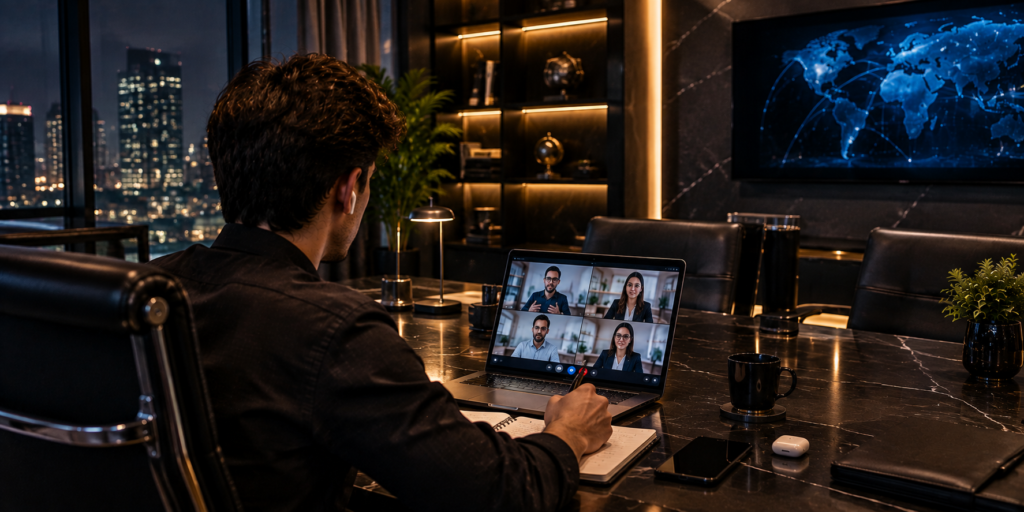
A virtual meeting is often treated as a single event. The calendar invite appears, the meeting begins, people talk, and the meeting ends. In practice, the meeting is only one part of a larger workflow. Preparation happens before the call. Decisions are made during the discussion. Notes, action items, approvals, and follow-up happen afterward. When these stages are disconnected, meetings feel productive while little actually changes.
Essential Virtual Meeting Etiquette for Remote Professionals
Remote work has permanently transformed how modern organizations operate, communicate, and build team relationships. Today, business conversations take place across digital screens rather than traditional conference rooms. This shift requires professionals to cultivate new skill sets centered around digital presence, clear articulation, and thoughtful communication strategies. Adapting to online collaboration tools is no longer optional; it is a core competency for career growth and organizational efficiency.
When individuals connect through video platforms, their demeanor, backdrop, and communication habits instantly create a lasting impression. Maintaining high standards during online interactions reflects respect for colleagues, clients, and organizational goals. Without physical presence, small details such as eye contact, sound quality, and promptness carry heightened importance. Consequently, mastering proper decorum has become essential for maintaining strong working relationships and projecting professional authority.
The Three Part Meeting Workflow
A useful way to think about online meetings is in three stages:
Preparation
Conversation
Execution
Each stage supports the next one.
Poor preparation leads to confused conversation. Poor conversation creates weak decisions. Weak decisions create poor execution.
That is why improving the meeting itself is not enough.
Preparation Creates Better Discussion
Participants need context before they arrive.
A short agenda can explain the purpose, but important documents may need to be available earlier. When people can review information in advance, meeting time can be used for questions and decisions rather than reading material for the first time.
This is especially useful for complex projects.
Preparing Your Environment for Online Success
Creating an optimal physical environment is the foundation of effective video communication. Your surroundings communicate volumes about your professionalism before you even speak a word. Select a dedicated space that minimizes visual clutter and prevents unexpected disruptions from family members, housemates, or pets. A clean, organized background allows participants to concentrate on your message rather than being distracted by household activity behind you.
Noise control is equally critical when setting up your workspace. Virtual Meeting choose a quiet room with minimal echo, soft furnishings, and closed doors to block out street sounds or household noise. If quiet surroundings are difficult to secure, inform other household members in advance about your scheduled calls. Taking these proactive steps demonstrates foresight and ensures that your remote environment projects a polished image aligned with corporate standards.
Conversation Should Produce Something
Meetings can create several useful outputs:
- A decision
- A clarified responsibility
- A new deadline
- A solved problem
- A documented question
- A plan for further research
If a meeting produces none of these, it is worth asking whether live discussion was necessary.
Why “Virtual Meeting” Means More Than Video
Virtual Meeting is commonly understood as an online call, but the practical workflow extends beyond the video window. The meeting can include agendas, collaborative notes, shared documents, action tracking, follow-up messages, and decision records.
This broader view changes how teams organize their work.
Instead of asking, “How do we run the call?” teams can ask, “How do we move information from discussion to action?”
Use Structured Notes
Meeting notes do not need to be a transcript.
A practical format is:
Decision: What was agreed?
Reason: Why was it chosen?
Action: What needs to happen?
Owner: Who will do it?
Deadline: When is it due?
This format makes follow-up much easier.
Keep Decisions Separate From Ideas
Teams often write down ideas and decisions in the same place.
That creates confusion later.
A person may read a suggestion and assume it was approved.
Mark decisions clearly. Use labels such as “Approved,” “Pending,” or “Needs Review.”
Clarity at this stage can prevent significant confusion later.
Think About Ownership
Action items should move toward specific people.
“Marketing to review” is vague.
“Laura will review the campaign copy by Tuesday” is clear.
When an action affects multiple departments, name a primary owner who is responsible for coordination.
Why Technology Helps but Does Not Replace People
Meeting technology can reduce administrative work when used carefully. Automated notes, searchable meeting records, shared action lists, and calendar integrations can help teams remember what happened.
However, technology does not replace human judgment. A summary can miss context. A task may be assigned to the wrong person. A transcript may contain words that are technically correct but practically misleading. Technology should support review, not eliminate it.
Handle Sensitive Information Carefully
Virtual meetings may involve customer data, financial information, internal plans, or private employee discussions. Teams should think about where recordings and notes are stored, who can access them, and how long they are retained.
Participants should avoid displaying unrelated confidential information while screen sharing. Security and etiquette overlap because careless digital behavior can have consequences beyond an awkward meeting.
Design for Hybrid Participation
Some teams are partly remote and partly in the office. Hybrid meetings can create an invisible advantage for people in the physical room. They can see side conversations, hear informal comments, and respond to body language more easily than remote participants.
To reduce this gap, make remote people visible in the discussion. Speak toward the microphone. Share relevant documents digitally. Avoid private side conversations that change the decision without everyone present.
Make Follow Up Visible
A task should not disappear into a private notebook. Shared action tracking makes ownership easier to understand. It also lets managers and colleagues check progress without repeatedly asking for updates. This does not mean turning every meeting into a reporting exercise. It means keeping important commitments visible.
Optimizing Audio Quality and Microphone Usage
Audio clarity is arguably the most vital element of online communication. While viewers might tolerate minor visual glitches, poor sound quality quickly causes cognitive fatigue and frustration. Investing in a dedicated headset, external USB microphone, or high quality earbuds significantly outperforms built in laptop microphones. External audio equipment isolates your voice, reduces ambient room echo, and eliminates background static.
Practicing disciplined microphone hygiene is essential for smooth group conversations. Keep your microphone muted whenever you are not actively speaking, especially in sessions with multiple participants. This practice prevents background typing, breathing, throat clearing, or ambient noise from interrupting the main speaker. Unmute promptly when called upon to keep discussions moving smoothly without awkward pauses.
Before launching critical client presentations or team discussions, perform a thorough system check. Test your microphone input levels, speaker volume, and audio software settings several minutes prior to the start time. Verify that your microphone is not rubbing against clothing or hair, which creates irritating friction sounds. Reliable audio establishes confidence and ensures your insights are delivered with complete clarity.
Measure the Outcome, Not the Meeting Count
A team can hold fewer meetings and still work poorly.
The better question is whether meetings create useful outcomes.
Possible indicators include:
- Percentage of meetings with a stated purpose
- Number of decisions made
- Percentage of actions completed on time
- Number of follow-up clarification messages
- Average meeting duration
These measures can show where the workflow is breaking down.
When a Meeting Should Become an Email or Document
Not every discussion needs live interaction. If the purpose is simply to distribute information, a written update may be enough.
If a topic requires debate, decision-making, or rapid clarification, a live meeting may be more appropriate. Choosing the right communication format is itself a professional skill.
Non Verbal Communication and Video Body Language
Non verbal cues play a major role in how your message is received during video conversations. Because digital screens restrict physical presence, conscious body language becomes essential. Maintain eye contact by looking directly into the camera lens when speaking, rather than looking at your own image or recipient videos on screen. This simple adjustment creates a powerful sense of direct connection for viewers.
Nodding thoughtfully, smiling appropriately, and leaning slightly forward demonstrate active listening and absorption. Avoid crossing your arms, leaning far back in your chair, or looking away frequently, as these behaviors can convey disinterest or defensiveness. Keep hand gestures within the camera frame so your natural expressions complement your spoken words effectively.
Multitasking is one of the most common detriments to video engagement. Checking emails, reading messages, or browsing unrelated websites during a session is easily noticeable through eye movement and facial expressions. Give your full attention to the speaker, maintain an open posture, and demonstrate that you value the ongoing professional exchange.
Frequently Asked Questions
What is the recommended protocol for joining a video call early or late?
Participants should ideally join two to three minutes before the scheduled start time to test audio and camera settings. If you arrive late due to an unavoidable conflict, join quietly with your microphone muted. Avoid interrupting the ongoing conversation to apologize; instead, send a brief message in the chat box acknowledging your arrival.
Is it acceptable to keep the camera turned off during an internal team meeting?
Camera policies depend on company culture and the nature of the call. In small team discussions, strategic planning sessions, or client interactions, keeping your camera on fosters trust and active engagement. However, for large town halls, webinars, or routine updates, turning off the camera can help conserve bandwidth and reduce screen fatigue, provided the host permits it.
How can a participant politely interrupt a speaker during a crowded online discussion?
To contribute without speaking over others, utilize the digital raise hand icon available in most video platforms. Alternatively, you can type your question or comment into the chat box so the host can address it at a natural break. If direct speech is necessary, wait for a pause and excuse yourself briefly before offering your point.
What steps should be taken to prepare a desktop before screen sharing?
Before initiating screen sharing, close all personal applications, email clients, messaging programs, and unrelated browser tabs. Turn on do not disturb mode on your operating system to block pop up notifications. Organise the presentation materials in advance so you can share the specific window smoothly without searching through files.
How should sensitive organizational matters be handled in virtual environments?
Confidential topics require heightened digital security measures. Ensure the meeting room is password protected, enable waiting rooms to verify guest identities, and restrict screen sharing or recording permissions. Participants should also use headsets and conduct the conversation in private, enclosed spaces to prevent unauthorized individuals from overhearing sensitive information.
Conclusion
The modern virtual meeting is not a single event. It is a workflow that begins with preparation, continues through focused conversation, and finishes with clear execution. Teams improve when they connect agendas, discussions, decisions, notes, responsibilities, and follow-up instead of treating them as separate tasks. A good meeting does not simply end when everyone clicks “Leave.” It creates the information and accountability needed for the next piece of work to happen.