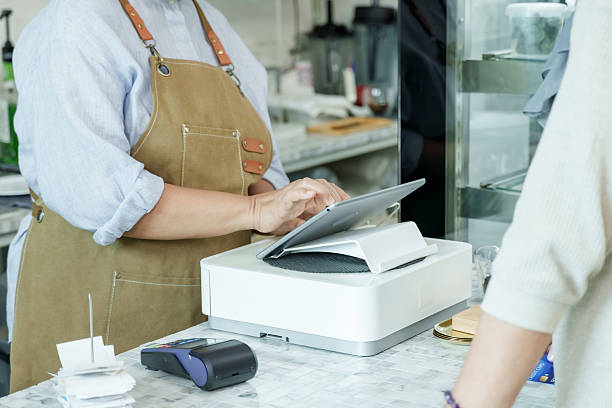
Running a restaurant smoothly is no easy task. Every day, staff have to manage orders, prepare meals, and serve customers quickly, all while making sure nothing goes wrong. Even a small mistake in the kitchen or at the front of the house can slow down service and frustrate customers. In this fast-paced environment, having the right tools is essential for success. One device that can make a big difference is the Clover kitchen printer. It helps restaurants organize orders better, communicate more clearly, and keep the kitchen running efficiently.
Restaurants that use a Clover kitchen printer often see an immediate improvement in how their staff works together. Instead of relying on handwritten tickets or shouting orders across the restaurant, orders are sent directly from the point-of-sale system to the right printer in the kitchen. This reduces mistakes, saves time, and allows staff to focus on cooking and serving rather than trying to figure out unclear orders. With faster and more accurate service, customers are happier, and restaurants can handle more orders without adding extra staff.
How a Clover Kitchen Printer Improves Accuracy
One of the biggest challenges in a busy kitchen is making sure orders are correct. Mistakes can happen when staff mishear an order or when handwritten notes are unclear. A Clover kitchen printer solves this problem by sending every order directly to the correct kitchen station. Each printer prints only the items relevant to that station, whether it’s the grill, the fryer, or dessert. This way, every chef knows exactly what to prepare, and mistakes are much less likely to happen.
The printer also makes it easy to handle special requests. Customers often ask for substitutions, allergies, or specific cooking preferences. With orders printed clearly from the system, these details are communicated exactly as they are entered, so chefs can prepare meals correctly the first time. Reducing errors not only improves customer satisfaction but also saves time and money that would otherwise be spent fixing mistakes.
Streamlining Kitchen Workflow
A Clover kitchen printer helps make the workflow in the kitchen much smoother. During busy times, multiple orders come in at once, and it can be hard to decide what to cook first. The printer organizes orders so staff can prioritize efficiently, sending items to the right station in the correct sequence. This ensures that meals are prepared quickly and served on time, even during peak hours.
The ability to direct orders to specific stations also reduces unnecessary movement in the kitchen. Chefs can focus on their area without having to check other stations or wait for clarification. This efficiency allows restaurants to handle more orders in less time, which is especially important during lunch or dinner rushes.
Managing Inventory More Effectively
Using a Clover kitchen printer also helps with inventory management. When an order is printed, the system can automatically track which ingredients are being used. This makes it easier for managers to know when supplies are running low and reorder in time. It also reduces waste because staff have a clear record of what has been used. Keeping track of ingredients in real-time helps ensure that popular dishes are always available and that the kitchen runs smoothly without interruptions.
Customization for Every Kitchen
Every restaurant has a unique setup, and the Clover kitchen printer can be customized to match different workflows. Some kitchens may want separate printers for appetizers, entrees, and desserts, while others may need printers for specific cooking stations. The printer can be set up to fit any layout, making it easier to manage orders and keep everything organized. This flexibility ensures that each restaurant can run efficiently, no matter how complex the menu or kitchen setup may be.
Integration with Clover POS
One of the best features of a Clover kitchen printer is how well it works with other Clover devices. Orders entered on a Clover POS device, whether by a server or through a self-ordering kiosk, are sent instantly to the kitchen printer. The system also updates inventory automatically and keeps track of sales. This integration saves time, reduces mistakes, and provides valuable insights for managers. By analyzing order patterns and busy hours, managers can make smarter decisions about staffing, menu planning, and promotions.
Handling Busy Periods and Reducing Stress
During peak hours, kitchens can become hectic. A Clover kitchen printer helps reduce stress by keeping orders organized and easy to follow. Each order is printed clearly with all the details needed, so chefs know exactly what to prepare and in what order. This organization not only prevents mistakes but also helps the kitchen staff work more calmly and efficiently, even when it is very busy.
Easy Maintenance and Reliability
Clover kitchen printers are built to handle the demands of busy restaurants. They print quickly, clearly, and consistently, even when printing large numbers of orders. They are easy to set up and maintain, which means staff can spend less time dealing with technical issues and more time serving customers. A reliable printer ensures that the kitchen keeps running smoothly without interruptions.
Supporting Staff Training
A Clover kitchen printer also makes it easier to train new staff. Because orders are printed automatically and clearly, new employees can quickly understand how the kitchen operates. They can follow the printed tickets without constant supervision, which speeds up the training process and reduces errors. Experienced staff also benefit because the system helps maintain consistent service quality across shifts.
Improving Customer Satisfaction and Profitability
Ultimately, using a Clover kitchen printer helps restaurants deliver better service. Orders are prepared faster and more accurately, inventory is managed efficiently, and staff can focus on providing excellent customer experiences. This leads to happier customers, more repeat visits, and higher revenue. By investing in a Clover kitchen printer, restaurants can improve both their daily operations and long-term success.
Conclusion
Running a restaurant efficiently requires careful planning, organization, and the right technology. A Clover kitchen printer helps achieve all of these goals by improving accuracy, streamlining workflow, managing inventory, and supporting staff training. By using this device, restaurants can reduce mistakes, speed up service, and create a better experience for both staff and customers. In the fast-paced restaurant world, a Clover kitchen printer is more than just a piece of equipment—it is a tool for smoother operations and long-term growth.