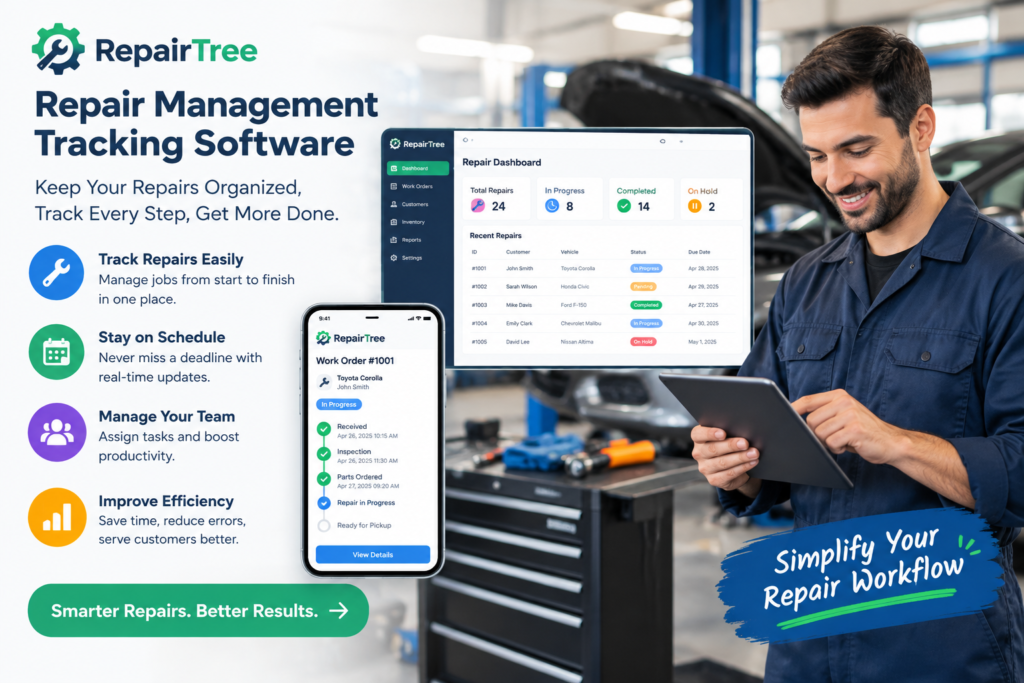
Selecting repair management software is a significant decision for any phone, electronics, or appliance repair business. The platform you choose will shape daily workflows, customer communications, inventory control, and financial reporting for years to come. Yet many buyers focus heavily on visible features like ticket management and invoicing while overlooking critical questions that determine long-term success.
This article highlights the often-forgotten questions that separate good software decisions from costly mistakes. These are the questions that reveal hidden costs, data ownership realities, integration limitations, and support quality issues that only become apparent after you have already migrated your business.
Pricing and Contract Questions
What Is the Real All-In Monthly Cost?
Most vendors advertise base subscription prices that exclude essential add-ons. Before committing, calculate the total cost including:
- Per-user or per-technician fees that multiply as you add staff
- SMS notification costs charged per message or in bundled packages
- Payment processing fees if the platform requires using their integrated payment gateway
- Inventory module fees if advanced stock management is a separate tier
- Multi-location charges for shops operating more than one store
- Onboarding or training fees that may be one-time or recurring
A platform advertising $50 per month may cost $150 or more once all necessary features and user seats are included.
What Happens to My Data If I Cancel?
Data portability is frequently overlooked until shops attempt to switch platforms. Ask vendors:
- Can I export all repair tickets, customer records, and inventory data in a usable format such as CSV or JSON?
- Are there export fees or administrative charges for data migration?
- How long will I retain access to historical data after cancellation?
- Does the system maintain complete audit trails that export with the data?
Some platforms make export difficult or provide data in formats that are not easily imported into alternative systems, creating vendor lock-in.
What Are the Contract Terms and Cancellation Requirements?
Understand the commitment before signing:
- Is the contract month-to-month or are you locked into annual terms?
- What notice period is required for cancellation (30 days, 60 days, 90 days)?
- Are there early termination fees?
- Can you downgrade your plan if your business shrinks, or are you locked into your initial tier?
Flexibility matters because business needs change. A platform that works for a three-technician shop may be overkill (and overpriced) if you downsize to a solo operation.
Technical and Operational Questions
Can I See the Technician View on a Normal Phone?
Many software demos showcase desktop or tablet interfaces that look impressive but do not reflect how technicians actually work. Ask for a live demonstration of the mobile experience:
- Can technicians view and update repair tickets from their smartphones?
- Is the mobile interface responsive and fast, or does it require a dedicated app that may not support your device?
- Can techs clock time, log parts, and add photos directly from their phones?
- Does the mobile view show all necessary information or does it hide critical details?
If technicians cannot efficiently use the system on devices they already carry, adoption will suffer and workarounds will emerge.
How Long Does Initial Setup and Data Migration Take?
Vendors often underestimate implementation time. Request realistic timelines for:
- Initial configuration including workflow setup, user accounts, and integrations
- Data migration from your current system (spreadsheets, legacy software, or paper records)
- Staff training to ensure all team members can use the system effectively
- Go-live support to troubleshoot issues during the first weeks of operation
Some platforms promise same-day setup but require weeks of configuration to match your actual workflows. Others include migration assistance in their pricing, while others charge extra or leave it entirely to you.
Does It Integrate with My Existing Tools?
Most repair shops already use accounting software, e-commerce platforms, and communication tools. Verify integration capabilities:
- Accounting: Does it integrate with Xero, MYOB, or QuickBooks for automated invoicing and payment reconciliation?
- E-commerce: Can it sync with Shopify, WooCommerce, or other platforms if you sell parts or devices online?
- Communication: Does it support SMS gateways, email providers, or WhatsApp Business API for customer notifications?
- Payment gateways: Can you use your existing merchant account or are you required to use the vendor’s payment processor?
Integration gaps force manual data entry, increasing administrative burden and error risk.
Support and Reliability Questions
What Is Your Actual Uptime and Response Time?
Software downtime directly impacts your ability to process repairs and communicate with customers. Ask vendors:
- What is your historical uptime percentage over the past 12 months?
- Do you offer a service level agreement (SLA) with uptime guarantees?
- What is your average response time for support tickets?
- Is support available during Australian business hours, or only during US or European time zones?
- Can I speak to existing customers in Australia for references?
A platform with 95 per cent uptime experiences roughly 18 days of downtime per year. For a busy shop, that could mean hundreds of lost repair tickets and frustrated customers.
What Does Your Onboarding Programme Include?
Onboarding quality varies dramatically between vendors. Clarify what is included:
- Live training sessions for your team, or only pre-recorded videos?
- Dedicated onboarding specialist or generic support queue?
- Assistance with workflow configuration and best practices, or just technical setup?
- Ongoing check-ins during the first 30 to 60 days, or one-and-done training?
Poor onboarding leads to underutilisation of features and staff frustration, reducing the return on your software investment.
Feature and Workflow Questions
Can I Produce a Quote as It Stood 30 Days Ago?
Audit trails and historical snapshots matter for compliance and dispute resolution. Ask:
- Does the system maintain complete version history for quotes and repair tickets?
- Can I view exactly what a customer was quoted at a specific point in time?
- Are all changes logged with timestamps and user identification?
This capability is increasingly important as consumer protection regulations tighten and customers demand transparency.
Are Quality Photos Mandatory or Optional?
Photo documentation protects both your business and customers by providing visual evidence of device condition at intake and completion. Determine:
- Can you configure the system to require photos before a ticket moves to the next stage?
- Are photos stored with the repair ticket and included in customer communications?
- Is there a limit on photo storage, or can you document extensively without hitting caps?
Platforms that treat photos as optional often see inconsistent adoption, leaving shops vulnerable to damage disputes.
How Will My Team Actually Use This Day to Day?
Request a live demonstration that mirrors your actual workflow from intake to invoice. Watch for:
- Number of clicks required to create a repair ticket with all necessary details
- Ease of adding parts, labour, and notes during repair
- How customer approvals are captured (digital signature, SMS link, email)
- Time required to generate an invoice and process payment at collection
A system that looks good in a sales demo may prove cumbersome in daily use, leading to workarounds and reduced data quality.
Scalability and Growth Questions
Can the Software Handle Multiple Locations?
Even if you operate a single shop now, consider future growth. Ask:
- Does the platform support multiple locations under one account?
- Can inventory be shared or transferred between locations?
- Do you get centralised reporting across all locations, or must you view each separately?
- Are there additional fees per location?
Migrating to a new platform mid-growth is expensive in terms of data migration, retraining, and operational disruption.
What Are the User Limits on Each Plan?
Understand how pricing scales with team size:
- Is pricing flat regardless of user count, or per technician?
- Are there different permission levels for owners, managers, technicians, and front-desk staff?
- Can you add unlimited customer records, or is there a cap?
- Are there transaction limits (for example, maximum number of repair tickets per month)?
Per-user pricing can become prohibitively expensive as you add technicians, while flat-rate plans offer more predictable costs.
Conclusion
Choosing the right Repair Management Tracking Software requires looking beyond surface-level features and advertised pricing. The questions outlined above reveal hidden costs, data ownership realities, integration capabilities, support quality, and scalability that determine whether a platform will serve your business well over the long term.
Take time to request live demonstrations, speak to existing customers, and trial systems with real repair jobs before committing. The effort invested in thorough evaluation pays dividends in reduced administrative burden, improved customer satisfaction, and operational efficiency.
Repair Tree offers a purpose-built platform designed specifically for phone and electronics repair businesses, combining transparent pricing, comprehensive data export capabilities, Australian-based support, and workflows that mirror the actual operations of small to medium repair shops across Australia.
